Reviews
Your graphics add a nice touch to my presentations and I recently used them for one of my all-hands meetings. Your toolbox adds professionalism to my slides. Instead of using standard clipart.
I needed a fresh look at some of my slides. I've tried to find a way to create a paintbrush effect, to underline, accentuate, add some color and the handwritten markers were just the things. Very easy to use, easy to size, change the color. It was an affordable, perfect solution and I'm happy to recommend it.
The crisp, clean look of the graphics, and the fact that it allowed me to easily edit and change the colors to match the template was my main reason for purchasing them.
Description
Digital Marketing #4
Slide Content
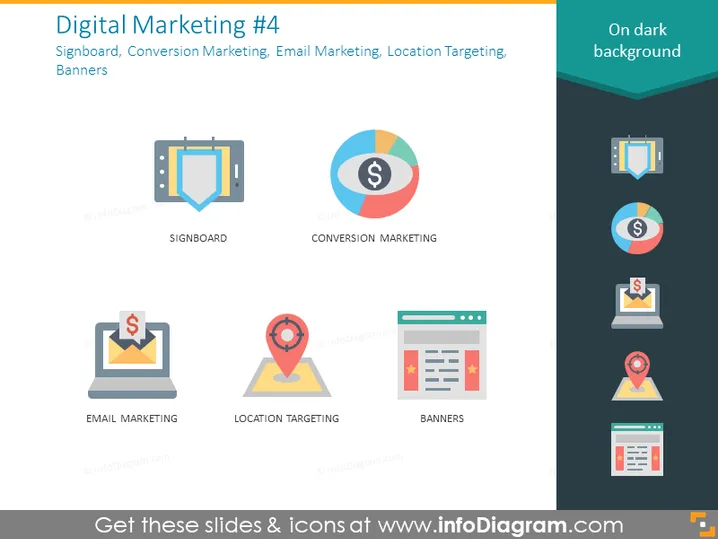
The slide is focused on four key aspects of digital marketing: Signboard, Conversion Marketing, Email Marketing, and Location Targeting. "Signboard" likely refers to the use of physical or digital signage to advertise products or services. "Conversion Marketing" involves strategies to convert prospects into customers, enhancing ROI. "Email Marketing" is the practice of sending targeted emails to nurture leads and keep customers engaged. "Location Targeting" implies using geographical data to deliver relevant advertising to individuals based on their location.
Graphical Look
- Main background color is a gradient of dark blue to lighter blue at the top.
- Four distinct flat design icons with labels underneath them, aligned in two rows and two columns:
- Top-left: A signboard icon representing Signboard.
- Top-right: A pie chart icon with a dollar sign in the center, representing Conversion Marketing.
- Bottom-left: An envelope with a dollar sign on a laptop screen, representing Email Marketing.
- Bottom-right: A map pinpoint icon on a webpage layout, representing Banners, albeit the icon naming might be more indicative of Location Targeting.
- Each icon is in a different vivid color palette (blue, red-orange, yellow, green), providing a distinct visual categorization.
- All icons are surrounded by a subtle shadow, giving a sense of depth.
- There are no other elements in the slide's visible area.
The overall look of the slide is professional and modern, with a clear visual hierarchy that makes the content easy to follow. The icons are simplified and colorful, making the categories immediately recognizable.
Use Cases
- In a meeting to discuss strategies for boosting a company's digital marketing efforts.
- During a workshop or seminar to educate marketing teams on different facets of digital marketing.
- As part of a sales pitch when proposing digital marketing services to potential clients.
- In a reporting presentation to showcase the performance of various digital marketing channels.
How to Edit
How to edit text & colors

How to expand / shorten diagram

How to Replace Icons in infoDiagram PPT


