

Your graphics add a nice touch to my presentations and I recently used them for one of my all-hands meetings. Your toolbox adds professionalism to my slides. Instead of using standard clipart.
Claude Jones, Director of Engineer, @Walmartlabs, USA

Your graphics add a nice touch to my presentations and I recently used them for one of my all-hands meetings. Your toolbox adds professionalism to my slides. Instead of using standard clipart.
Claude Jones, Director of Engineer, @Walmartlabs, USA
I needed a fresh look at some of my slides. I've tried to find a way to create a paintbrush effect, to underline, accentuate, add some color and the handwritten markers were just the things. Very easy to use, easy to size, change the color. It was an affordable, perfect solution and I'm happy to recommend it.
Anonymous, US
The crisp, clean look of the graphics, and the fact that it allowed me to easily edit and change the colors to match the template was my main reason for purchasing them.
Brandie Jenkins, E-learning Developer, USA
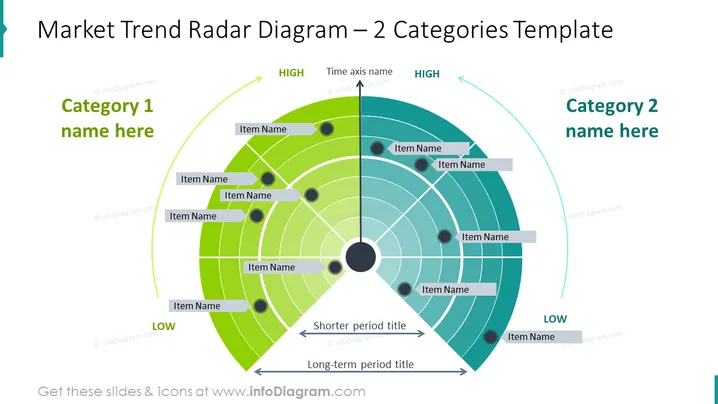
The slide depicts a radar diagram analyzing market trends across two categories over time. Each category is placed on either side of a central axis, with items positioned on concentric circles indicating their significance over time. "High" and "Low" denote the intensity or impact of trends, while the time axis is segmented into "Shorter period" and "Long-term" to showcase temporal relevance. Each item likely represents a specific trend or market factor.
The overall look is clean and modern, using a color gradient to visually separate data points and emphasize their impact. The design is well-structured, facilitating easy understanding of complex data.
Such a slide is ideal for business presentations where visualizing and comparing the impact and time relevance of various market trends is crucial. It can be used in strategic planning sessions, market analysis meetings, investor updates, or marketing strategy discussions to showcase trends and their developments.



