Reviews
Your graphics add a nice touch to my presentations and I recently used them for one of my all-hands meetings. Your toolbox adds professionalism to my slides. Instead of using standard clipart.
I needed a fresh look at some of my slides. I've tried to find a way to create a paintbrush effect, to underline, accentuate, add some color and the handwritten markers were just the things. Very easy to use, easy to size, change the color. It was an affordable, perfect solution and I'm happy to recommend it.
The crisp, clean look of the graphics, and the fact that it allowed me to easily edit and change the colors to match the template was my main reason for purchasing them.
Description
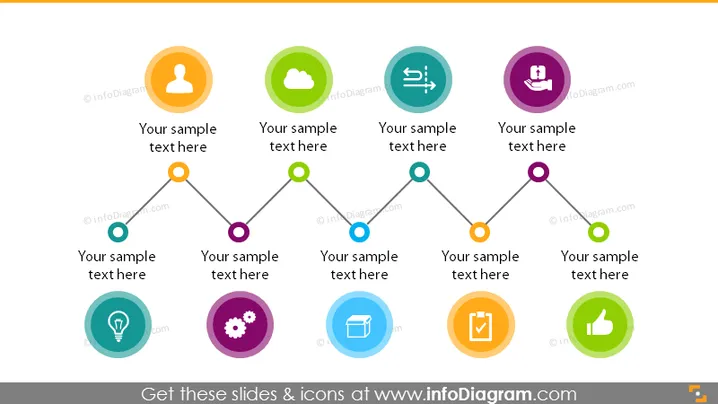
9 Steps Timeline Roadmap with Signpost Icons
Slide Content:
The PowerPoint slide is a visual depiction of a sequence of steps or stages in a process, illustrated by interconnected circles with icons representing different aspects or functions such as user profile, cloud computing, communication, settings, innovation, and validation. Text placeholders adjacent to each icon suggest areas to add descriptions, implying that detailed explanations for each stage can be customized according to the specific process or strategy being presented.
Graphical Look:
- Nine colorful circles connected by a grey line that zigzags horizontally across the slide.
- Each circle contains a unique icon, symbolizing different steps or components in a process.
- The circles are color-coded, with shades ranging from orange to blue to green to purple.
- The background is plain white, which makes the colorful elements stand out clearly.
The overall design of the slide is bright and organized, with a logical flow that’s easy to follow, emphasizing the step-by-step nature of a strategic plan or process.
Use Cases:
- As part of a business strategy presentation to outline the key components of a plan.
- During a project management workshop to describe the phases of project development.
- In a marketing strategy session to detail the steps involved in a campaign.
- For onboarding new employees, explaining the company's approach to achieving goals.
How to Edit
How to edit text & colors

How to expand / shorten diagram

How to Replace Icons in infoDiagram PPT


