Reviews
Your graphics add a nice touch to my presentations and I recently used them for one of my all-hands meetings. Your toolbox adds professionalism to my slides. Instead of using standard clipart.
I needed a fresh look at some of my slides. I've tried to find a way to create a paintbrush effect, to underline, accentuate, add some color and the handwritten markers were just the things. Very easy to use, easy to size, change the color. It was an affordable, perfect solution and I'm happy to recommend it.
The crisp, clean look of the graphics, and the fact that it allowed me to easily edit and change the colors to match the template was my main reason for purchasing them.
Description
Long Table of Content Template – Light Notebook Shape
Slide Content
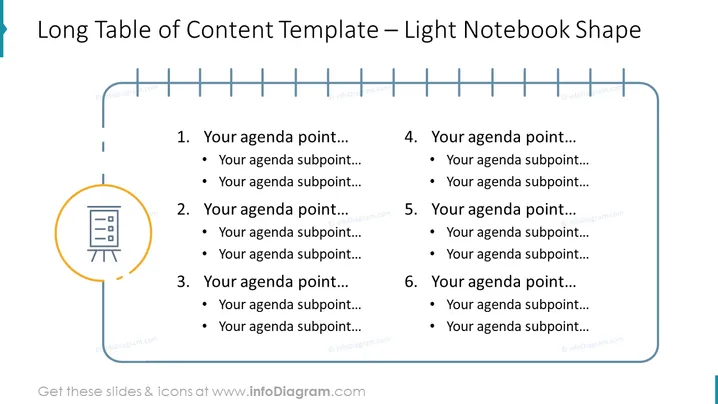
The PowerPoint slide titled "Long Table of Content Template – Light Notebook Shape" is designed to present a detailed agenda for a meeting, presentation, or document. It features a two-column layout with six main points, each supplemented with subpoints. These placeholders are highlighted to guide users to populate them with their own specific content, making the slide a versatile tool for structured information sharing.
Graphical Look
- The slide background is a solid light color.
- A stylized representation of a notebook occupies the top section of the slide with a series of short horizontal lines simulating binding rings.
- Six vertical marker lines descend from the notebook binding, evenly distributed across the width of the slide, indicating a connection to the corresponding agenda points.
- Each agenda point is organized in a two-column format, with numeral labels from one to six.
- The agenda points feature a bullet format, with primary points in bold and subpoints in standard font, suggesting a hierarchy.
- A circular icon depicting a flip-chart or presentation stand is present on the left side of the slide, aligned with the first agenda point, adding a visual cue to the topic of planning or presentation.
- The fonts are sans-serif, contributing to a clean and modern look.
The overall look is clean and structured, with visual elements that are minimalistic but effectively convey the format of a table of contents or agenda. The division into two columns maximizes the use of space and allows for an organized presentation of information.
Use Cases
- Outlining the agenda for corporate meetings or workshops.
- Serving as a table of contents for multi-section reports or proposals.
- Structuring the sequence of topics for training sessions or educational presentations.
- Assisting in project management meetings to detail phase or task breakdowns.
How to Edit
How to edit text & colors

How to expand / shorten diagram

How to Replace Icons in infoDiagram PPT


