Reviews
Sus gráficos añaden un toque agradable a mis presentaciones y recientemente los usé para una de mis reuniones generales. Su conjunto de herramientas añade profesionalismo a mis diapositivas. En lugar de usar imágenes prediseñadas estándar.
Necesitaba un aspecto fresco para algunas de mis diapositivas. Había intentado encontrar una forma de crear un efecto de pincel, de subrayar, acentuar, añadir algo de color y los marcadores escritos a mano fueron justo lo que necesitaba. Muy fácil de usar, fácil de ajustar el tamaño, cambiar el color. Fue una solución asequible y perfecta, y estoy feliz de recomendarla.
El aspecto nítido y limpio de los gráficos, y el hecho de que me permitiera editar y cambiar fácilmente los colores para que coincidieran con la plantilla fue mi principal razón para comprarlos.
Description
Logistics Process Participants 3D Icons
Slide Content
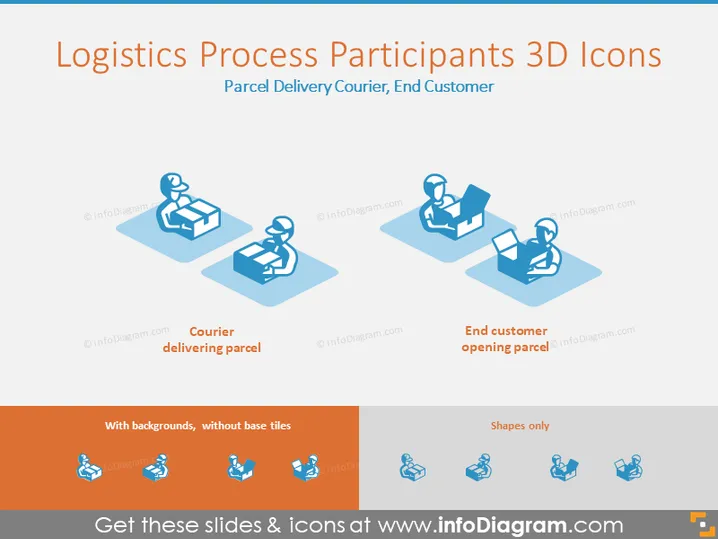
The slide presents "Logistics Process Participants" with 3D icons symbolizing a "Parcel Delivery Courier" and "End Customer." Two images depict the courier and the customer at different stages: the first shows the courier delivering a parcel, indicating the transfer of items from the distributor to the recipient; the second exhibits the end customer opening the parcel, representing the final stage of the delivery process where the recipient interacts with the shipped item.
Graphical Look
- The slide title is in bold blue font at the top.
- There are two 3D icons on the slide:
- The first depicts a courier with a parcel; the courier is in a crouched position, indicating the action of delivering.
- The second icon shows an end customer seated, opening a larger parcel, indicating they have received a delivery.
- Each icon has a small text label below it, identifying the action depicted ("Courier delivering parcel" and "End customer opening parcel").
- The icons and the text labels have a light blue shadow that gives depth and a 3D effect.
- A horizontal bar at the bottom features two sets of similar icons to show options with or without backgrounds.
The overall look of the slide is clean, modern and uses a simple color scheme with different shades of blue. The 3D icons on a white background create a strong visual impact and are easy to interpret.
Use Cases
- To visually explain different roles within the logistics process during a business presentation.
- For training materials to help employees understand the flow of goods from courier delivery to customer reception.
- Within a sales pitch to demonstrate the end-to-end service offered by a logistics or courier company.
- As part of strategy discussions to analyze and optimize the delivery and receiving process in supply chain management.
How to Edit
How to edit text & colors

How to expand / shorten diagram

How to Replace Icons in infoDiagram PPT


