Reviews
Your graphics add a nice touch to my presentations and I recently used them for one of my all-hands meetings. Your toolbox adds professionalism to my slides. Instead of using standard clipart.
I needed a fresh look at some of my slides. I've tried to find a way to create a paintbrush effect, to underline, accentuate, add some color and the handwritten markers were just the things. Very easy to use, easy to size, change the color. It was an affordable, perfect solution and I'm happy to recommend it.
The crisp, clean look of the graphics, and the fact that it allowed me to easily edit and change the colors to match the template was my main reason for purchasing them.
Description
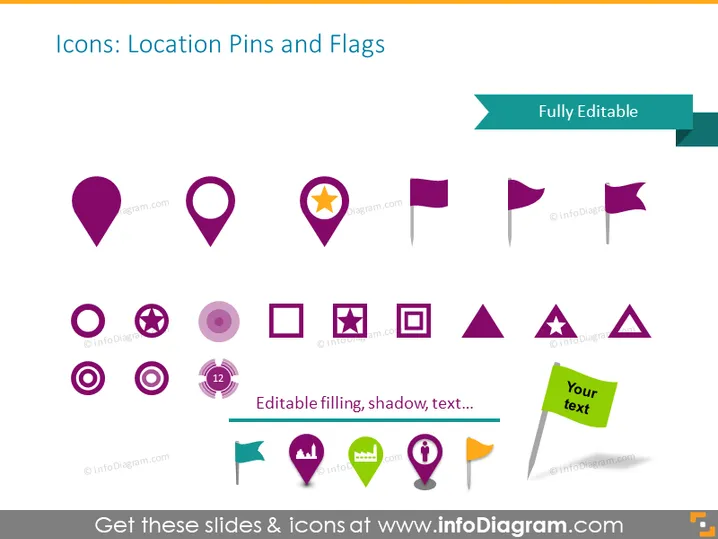
Icons: Location Pins and Flags
Slide Content
The slide is a collection of various icons related to location pins and flags, indicating that the slide's main topic is about geolocation indicators used in digital maps and applications. These icons are standard visuals used to mark places of interest or show locations on maps. The 'Fully Editable' label suggests that these icons can be customized in color, size, or shadow, which means they are versatile for different presentation needs.
Graphical Look
- The slide background is white, providing a clean and neutral backdrop for the icons to stand out.
- A variety of location pins and flags are arranged in rows across the slide; some are simple while others have additional details like stars or circles.
- The color scheme is primarily shades of purple, with green used for the text box icon that says "Your text."
- An aqua-green banner at the top right corner states "Fully Editable."
- Icons include different shapes: rounded pins, square pins, circle icons, triangular flags, and a rectangular text box.
- Some icons feature a drop shadow, giving them a subtle 3D effect.
- One icon at the bottom center is encircled and has the number "12" inside, possibly indicating a numeric notification or count.
The slide has a modern and minimalist design, with colorful icons that are visually appealing and easy to interpret. The layout is structured and organized, making use of white space to avoid clutter.
Use Cases
- In presentations for mobile app development, highlighting different types of location markers in user interface designs.
- For geographic analysis reports, as visual aids to show various points of interest on maps.
- During marketing strategy meetings, to represent different locations targeted for business expansion or campaigns.
- In travel and tourism pitches, to visually denote tourist attractions or accommodations on maps.
How to Edit
How to edit text & colors

How to expand / shorten diagram

How to Replace Icons in infoDiagram PPT


