Reviews
Your graphics add a nice touch to my presentations and I recently used them for one of my all-hands meetings. Your toolbox adds professionalism to my slides. Instead of using standard clipart.
I needed a fresh look at some of my slides. I've tried to find a way to create a paintbrush effect, to underline, accentuate, add some color and the handwritten markers were just the things. Very easy to use, easy to size, change the color. It was an affordable, perfect solution and I'm happy to recommend it.
The crisp, clean look of the graphics, and the fact that it allowed me to easily edit and change the colors to match the template was my main reason for purchasing them.
Description
List of 4 Elements and Central Header
Slide Content
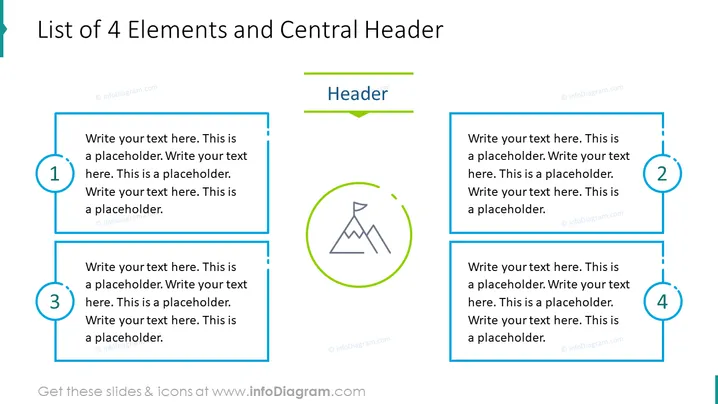
The PowerPoint slide is structured to present a list of 4 elements, with a central header for overarching context or topics. Each element is intended to be expanded with its own subset of information, explaining a specific aspect or point related to the central theme. On the right and left, boxes numbered 1 through 4 can contain the details, while the central section provides the main header supported by a relevant icon, simplifying the categorization or representation of the shared information visually.
Graphical Look
- The slide background is white.
- The title of the slide is at the top in dark text.
- Four numbered blue rectangular shapes spread evenly across the slide with a bold blue border.
- Each rectangle contains placeholder text in a smaller font size.
- A round icon in the center of the slide with a mountain image inside a green outlined circle.
- Above the circular icon is a central header titled "Header" underlined with a green line.
- Each rectangle is numbered with large blue circles containing white numbers, creating a visual sequence from 1 to 4.
The overall look of the slide is clean and organized, with a crisp color scheme of blue, green, and white. The design facilitates clarity in presenting a structured list of items related to a central topic.
Use Cases
- To outline multiple phases or components of a project during a business meeting.
- To compare and contrast four different strategies, products, or services in a marketing presentation.
- To describe the steps in a process or workflow in an educational or training session.
- To summarize key points or takeaways from a report or research in a conference presentation.
How to Edit
How to edit text & colors

How to expand / shorten diagram

How to Replace Icons in infoDiagram PPT


