Reviews
Your graphics add a nice touch to my presentations and I recently used them for one of my all-hands meetings. Your toolbox adds professionalism to my slides. Instead of using standard clipart.
I needed a fresh look at some of my slides. I've tried to find a way to create a paintbrush effect, to underline, accentuate, add some color and the handwritten markers were just the things. Very easy to use, easy to size, change the color. It was an affordable, perfect solution and I'm happy to recommend it.
The crisp, clean look of the graphics, and the fact that it allowed me to easily edit and change the colors to match the template was my main reason for purchasing them.
Description
Outlined Layers Slide Template
Slide Content
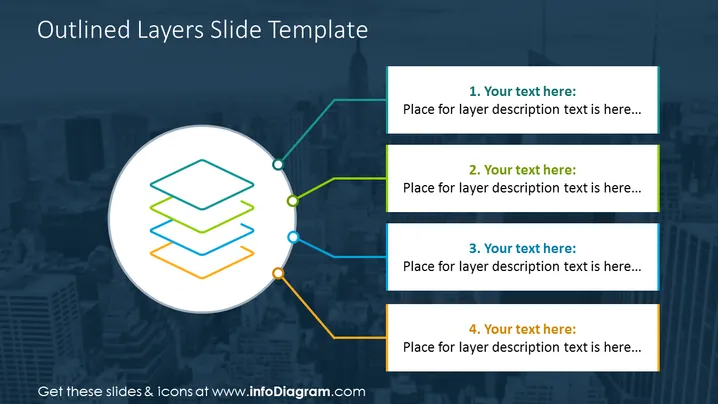
The slide features a graphic representation of four layers, each connected to a corresponding text box with a title and space for a description. The layers are outlined in different colors—green, teal, orange, and blue—signifying distinct aspects or levels. Each layer is meant to represent a different concept or step, such as stages in a process or hierarchical levels in an organization, and is associated with a placeholder text for further explanation.
Graphical Look
- A large white circle in the center with multicolored outlined rectangles representing layers.
- Four colored lines with round bullet points connecting the central graphics to the text boxes.
- Each text box contains a number and a placeholder for a title and description, matching the color of the associated line.
- The background image is a subtle, blurred cityscape in shades of navy and teal.
The slide presents a clean and organized visual composition, utilizing colored outlines and connectors to create an association between the central graphic and the text content.
Use Cases
- To illustrate the different components of a business strategy or model.
- To depict the breakdown of a project into phases or milestones.
- To present layers of management or departments within an organization.
- To explain the steps in a development process or other sequential workflows.
How to Edit
How to edit text & colors

How to expand / shorten diagram

How to Replace Icons in infoDiagram PPT


