Reviews
Sus gráficos añaden un toque agradable a mis presentaciones y recientemente los usé para una de mis reuniones generales. Su conjunto de herramientas añade profesionalismo a mis diapositivas. En lugar de usar imágenes prediseñadas estándar.
Necesitaba un aspecto fresco para algunas de mis diapositivas. Había intentado encontrar una forma de crear un efecto de pincel, de subrayar, acentuar, añadir algo de color y los marcadores escritos a mano fueron justo lo que necesitaba. Muy fácil de usar, fácil de ajustar el tamaño, cambiar el color. Fue una solución asequible y perfecta, y estoy feliz de recomendarla.
El aspecto nítido y limpio de los gráficos, y el hecho de que me permitiera editar y cambiar fácilmente los colores para que coincidieran con la plantilla fue mi principal razón para comprarlos.
Description
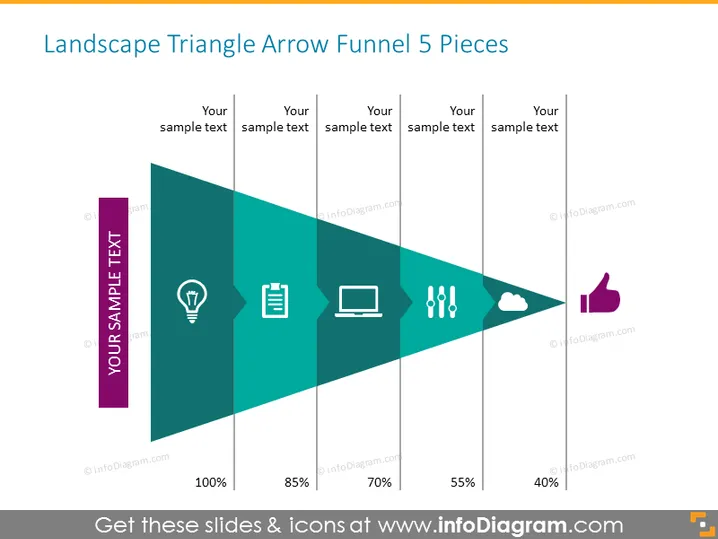
Landscape Triangle Arrow Funnel 5 Pieces
Slide Content
The slide is titled "Landscape Triangle Arrow Funnel 5 Pieces" and features a graphical representation of a funnel, segmented into five colored sections diminishing in size from left to right, symbolizing a process of filtering or selection. Each section is paired with a corresponding icon and placeholder text, which suggests customizing these to align with specific stages or elements of a process. The percentages below each segment imply a quantitative measure of this process, indicating stages of decline or refinement within the funnel.
- Lightbulb icon: Often represents an idea or the start of a concept.
- Document icon: Could symbolize the documentation or planning stage.
- Laptop icon: May represent the execution or operational phase.
- Hand icon with dots: Might depict interaction or engagement with the process.
- Cloud icon: Could indicate data storage or cloud computing aspects of the process.
- Thumb up icon: Is likely to symbolize approval, completion, or satisfaction.
Graphical Look
- The slide features a large central graphical element which is a teal-colored arrow shaped as a right-angled triangle, pointing towards the right.
- The triangle is segmented into five pieces with varying widths, starting from the widest on the left and narrowing down to the smallest on the right.
- Each segment contains a flat design white icon corresponding to a different abstract concept.
- Beneath the arrow, there are percentage values in bold black font indicating a descending scale from 100% to 40%.
- There is placeholder text above each segment in gray font color to be replaced with relevant content.
- Each segment of the funnel, as well as the area surrounding the icons and text, is bordered by lines in lighter shades creating a layered effect.
The visual design is clear and professional, using a gradient of color for visual interest. The funnel concept is effectively represented, with icons and text that invite customization for specific presentation needs.

Use Cases
- Sales and Marketing Presentations: To illustrate the stages of the customer journey, from initial awareness (100%) to conversion (40%), with each step representing a further point of engagement.
- Project Management and Development: Displaying the phases of a project lifecycle, helping stakeholders understand the progression from ideation to completion.
- Training and Education: To depict the filtering of concepts or learning objectives as participants progress through a training module or educational program.
- Data Analysis Reports: Visualizing the stages of data filtering or analysis, indicating the reduction of a data set through various criteria or operational stages.
How to Edit
How to edit text & colors

How to expand / shorten diagram

How to Replace Icons in infoDiagram PPT

