Reviews
Your graphics add a nice touch to my presentations and I recently used them for one of my all-hands meetings. Your toolbox adds professionalism to my slides. Instead of using standard clipart.
I needed a fresh look at some of my slides. I've tried to find a way to create a paintbrush effect, to underline, accentuate, add some color and the handwritten markers were just the things. Very easy to use, easy to size, change the color. It was an affordable, perfect solution and I'm happy to recommend it.
The crisp, clean look of the graphics, and the fact that it allowed me to easily edit and change the colors to match the template was my main reason for purchasing them.
Description
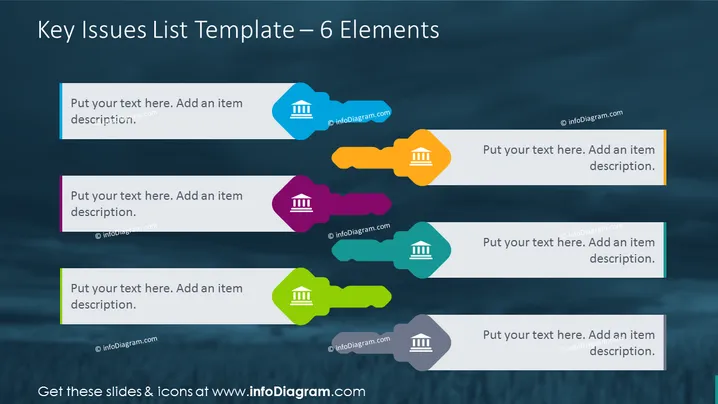
Key Issues List Template – 6 Elements
Slide Content
The slide titled "Key Issues List Template – 6 Elements" appears to be a tool for presenting six separate points or topics. Each point is paired with a placeholder for text, signaling the user to "Put your text here. Add an item description." These placeholders are structured for summarizing key issues, each reinforced with a symbolic icon of a building to illustrate stability or institutional relevance.
Graphical Look
- The slide has a dark blue textured background.
- Six vibrant, colored shapes spread horizontally across the slide; three on top and three on the bottom.
- Each shape has a distinct color (from left to right: light blue, purple, green, orange, teal, and gray) and is stylized with a fluid, organic look.
- Superimposed on each shape is a white icon of a building, representing structure or organization.
- Text boxes with lighter backgrounds mirroring the color of their respective shapes are placed adjacent to each shape.
- Each text box contains a placeholder text for customization.
The slide has a modern and dynamic appearance with vivid colors and a clean design that allows for easy customization. The organic shapes paired with clean icons and the coherent color scheme make the information approachable and engaging.
Use Cases
- This slide can be incorporated into business presentations to outline major strategic initiatives or key areas of focus.
- It can be used by project managers to describe different phases of a project or highlight critical project milestones.
- Such a design is suitable for summarizing discussion points at the beginning or end of a meeting for clarity and recap.
- Nonprofit organizations or educational institutions could use this slide to demonstrate core principles or values.
How to Edit
How to edit text & colors

How to expand / shorten diagram

How to Replace Icons in infoDiagram PPT


