Reviews
Ihre Grafiken verleihen meinen Präsentationen eine nette Note, und ich habe sie kürzlich für eines meiner All-Hands-Meetings verwendet. Ihre Toolbox verleiht meinen Folien Professionalität, anstatt Standard-Clipart zu verwenden.
Ich brauchte einen neuen Blick auf einige meiner Folien. Ich habe versucht, einen Weg zu finden, einen Pinselschlag-Effekt zu erzielen, um zu unterstreichen, hervorzuheben, Farbe hinzuzufügen, und die handgeschriebenen Markierungen waren genau das Richtige. Sehr einfach zu bedienen, leicht in der Größe zu ändern, die Farbe zu ändern. Es war eine erschwingliche, perfekte Lösung und ich empfehle sie gerne weiter.
Die klare, saubere Optik der Grafiken und die Tatsache, dass ich die Farben leicht bearbeiten und an die Vorlage anpassen konnte, war mein Hauptgrund für den Kauf.
Description
June (US)
Slide Content
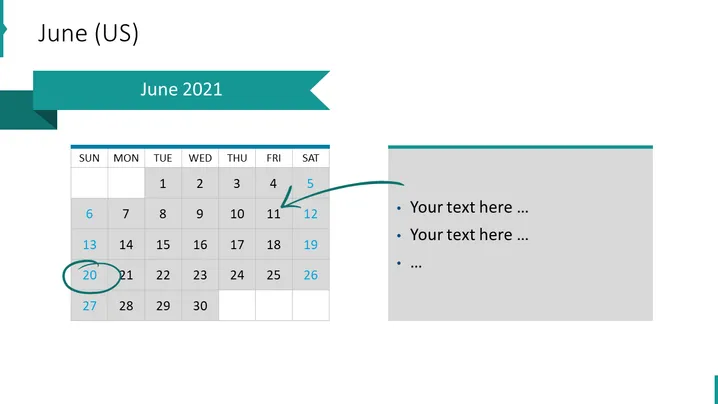
The slide is titled "June 2021" and displays a calendar for the month of June in the United States. The calendar is set in a grid format showing days of the week from Sunday to Saturday with individual dates. Three dates are highlighted: the 5th with an arrow pointing towards a text box, the 20th circled, and the 27th in larger, bold text. These highlights may indicate special events or meetings. On the right-hand side, there are bullet points providing space for additional descriptions, signified by "Your text here ...", to elaborate on specific dates or schedule outlines.
Graphical Look
- Teal header with the title "June 2021" centered in white font.
- A regular grid calendar layout with columns for each day of the week, labeled "SUN" through "SAT".
- Dates are displayed in individual cells, with today's date enlarged and bolded.
- The 5th is connected by a curved arrow to a text box suggesting a link to further information.
- The 20th is encircled, emphasizing a particular event.
- A separate text box area to the right has a light gray background with bullet points for text entries.
The slide has a professional and organized appearance, predominantly in shades of teal and gray. It employs a good use of whitespace, and the visual elements are arranged to guide the viewer's attention to specific dates and related notes.
Use Cases
- Planning and discussing timelines or schedules in business meetings.
- Highlighting key dates or deadlines in project management presentations.
- Serving as a template for monthly reporting or updates in corporate settings.
- Using as an agenda slide to outline events or meetings for a particular month during a conference or seminar.
How to Edit
How to edit text & colors

How to expand / shorten diagram

How to Replace Icons in infoDiagram PPT


