Reviews
Your graphics add a nice touch to my presentations and I recently used them for one of my all-hands meetings. Your toolbox adds professionalism to my slides. Instead of using standard clipart.
I needed a fresh look at some of my slides. I've tried to find a way to create a paintbrush effect, to underline, accentuate, add some color and the handwritten markers were just the things. Very easy to use, easy to size, change the color. It was an affordable, perfect solution and I'm happy to recommend it.
The crisp, clean look of the graphics, and the fact that it allowed me to easily edit and change the colors to match the template was my main reason for purchasing them.
Description
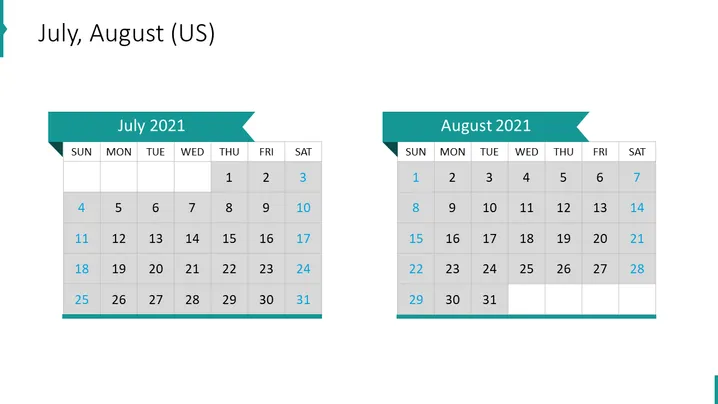
July, August (US)
Slide Content
The slide is a visual representation of the months July and August 2021 in the form of traditional calendar layouts. It serves to provide a quick reference for dates and planning purposes. Each month has its own calendar, starting with July on the left and August on the right. The calendars display days of the week horizontally at the top and align the dates in grid form underneath, with weekends highlighted in a different color to distinguish them from weekdays.
Graphical Look
- The slide background is plain white.
- There are two prominently displayed calendar blocks, each with a ribbon-shaped header in a teal color.
- The headers contain the names of the months, "July 2021" and "August 2021".
- Days of the week are labeled at the top of each calendar in bold text.
- Calendar dates are presented in grid format, with rows for weeks and columns for days.
- Saturdays and Sundays are highlighted in a light gray, standing out against the white background of the other days.
- The slide employs a simple and clean font for text.
The slide has a minimalist design with a professional appearance. The use of color highlighting for weekends makes it easy to distinguish between weekdays and the end of the week.
Use Cases
- To present project timelines and deadlines in a business environment.
- For scheduling and outlining major corporate events or meetings.
- In a workshop or seminar to highlight important dates or milestones.
- To visually aid in vacation planning or staff scheduling during a presentation.
How to Edit
How to edit text & colors

How to expand / shorten diagram

How to Replace Icons in infoDiagram PPT


