Reviews
Your graphics add a nice touch to my presentations and I recently used them for one of my all-hands meetings. Your toolbox adds professionalism to my slides. Instead of using standard clipart.
I needed a fresh look at some of my slides. I've tried to find a way to create a paintbrush effect, to underline, accentuate, add some color and the handwritten markers were just the things. Very easy to use, easy to size, change the color. It was an affordable, perfect solution and I'm happy to recommend it.
The crisp, clean look of the graphics, and the fact that it allowed me to easily edit and change the colors to match the template was my main reason for purchasing them.
Description
July, August
Slide Content
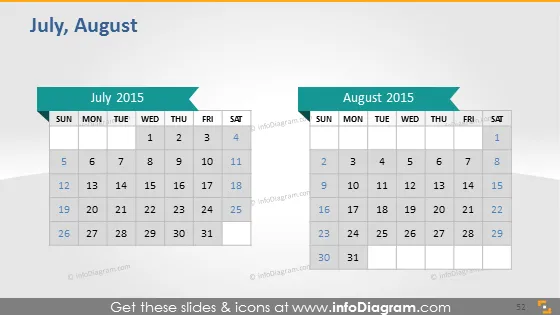
The PowerPoint slide presents side-by-side calendars for July 2015 and August 2015, likely intended to be used for planning or highlighting key dates. Each calendar features a traditional layout with weeks starting on Sunday and ending on Saturday. The days of the week are labeled in the top row, with dates beneath aligning accordingly. This visual could be used for illustrating deadlines, events, holidays, or significant periods in a given project timeline or business cycle. The content effectively employs simple visual elements for clear communication of dates and time progression.
Graphical Look
- Two rectangular blocks representing each month, colored differently for distinction.
- Each rectangular block has a slightly darker header with the month and year labeled in bold, white text.
- The days of the week are clearly labeled in a row at the top of each month's block in all capital letters for easy readability.
- Dates are presented in individual cells within the calendar grid, forming rows and columns, typical of calendar structure.
- Each block (month) has an arrow-shaped banner on the right corner, pointing outwards, which could indicate a progression or continuity.
- The slide's background is a gradient of grey shades, giving it a subtle texture but not drawing attention away from the calendar content.
The slide's overall look is clean and professional with a straightforward layout. The use of color and text makes the information easy to read and quickly accessible to the viewer.
Use Cases
- Scheduling and discussing timelines for projects during a business meeting or presentation.
- Showcasing important company-wide events, milestones, or deadlines.
- Planning marketing campaigns and showing when different campaign elements go live.
- Using during educational sessions to indicate when assignments or periods of study start and end.
How to Edit
How to edit text & colors

How to expand / shorten diagram

How to Replace Icons in infoDiagram PPT


