Reviews
Your graphics add a nice touch to my presentations and I recently used them for one of my all-hands meetings. Your toolbox adds professionalism to my slides. Instead of using standard clipart.
I needed a fresh look at some of my slides. I've tried to find a way to create a paintbrush effect, to underline, accentuate, add some color and the handwritten markers were just the things. Very easy to use, easy to size, change the color. It was an affordable, perfect solution and I'm happy to recommend it.
The crisp, clean look of the graphics, and the fact that it allowed me to easily edit and change the colors to match the template was my main reason for purchasing them.
Description
Job Interview Outline Icons – Person Qualifications
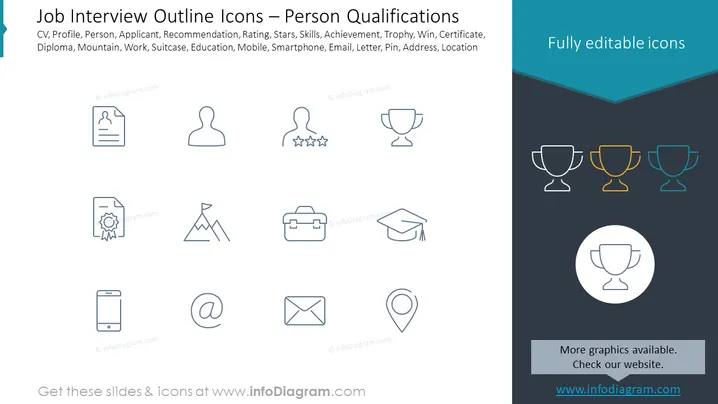
Slide Content: The slide is titled "Job Interview Outline Icons – Person Qualifications" and showcases various icons representing elements related to a job interview or qualifications of a candidate. These icons include representation for a CV, profile, person, applicant, recommendation, rating stars (skills and review), skills, achievement, trophy (success and awards), win, certificate, diploma, mountain (challenges or goals), work, suitcase (professional experience), education, mobile (communication), smartphone, email (correspondence), letter, pin (specific location), address, and location.
Graphical Look:
- The slide features a dark blue background at the bottom that transitions to a lighter blue at the top.
- The title is in white text at the upper left of the slide.
- A variety of line icons, all uniformly styled, are arranged in four rows and four columns.
- The icons are monochrome with varying shades of blue, and one row of trophies in different colors (dark blue, gold, and light blue).
- Each icon correlates with a specific term related to job qualifications or components of the application process.
- The top right corner states "Fully editable icons" in white text within a dark blue banner.
- A circular zoom-in on a trophy icon is shown at the bottom right, with a light background for emphasis.
The slide has a clean and minimalist design, with a cohesive color palette that gives it a professional look. The icons are simple and easily understandable, which would be ideal for a business or educational presentation.
Use Cases:
- For a presentation to job applicants, explaining what components make up a strong application.
- During HR training sessions to discuss the criteria and qualities they should look for in candidates.
- In a career workshop to illustrate the various aspects of personal branding and professional development.
- For an online webinar providing tips for job interviews, using the icons as visual aids to address each topic.
How to Edit
How to edit text & colors

How to expand / shorten diagram

How to Replace Icons in infoDiagram PPT


