Reviews
Sus gráficos añaden un toque agradable a mis presentaciones y recientemente los usé para una de mis reuniones generales. Su conjunto de herramientas añade profesionalismo a mis diapositivas. En lugar de usar imágenes prediseñadas estándar.
Necesitaba un aspecto fresco para algunas de mis diapositivas. Había intentado encontrar una forma de crear un efecto de pincel, de subrayar, acentuar, añadir algo de color y los marcadores escritos a mano fueron justo lo que necesitaba. Muy fácil de usar, fácil de ajustar el tamaño, cambiar el color. Fue una solución asequible y perfecta, y estoy feliz de recomendarla.
El aspecto nítido y limpio de los gráficos, y el hecho de que me permitiera editar y cambiar fácilmente los colores para que coincidieran con la plantilla fue mi principal razón para comprarlos.
Description
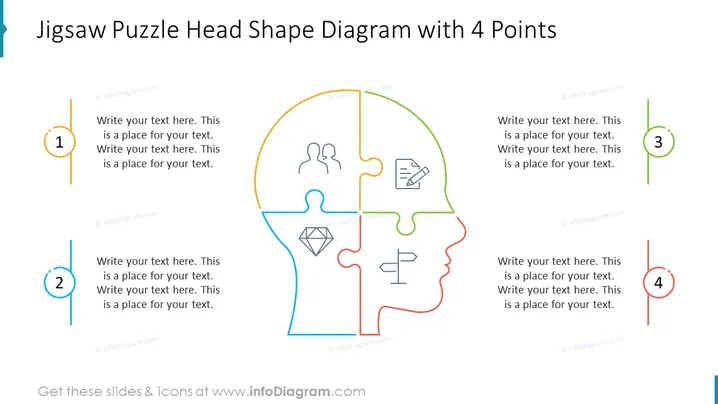
Jigsaw Puzzle Head Shape Diagram with 4 Points
Slide Content:
The slide illustrates a jigsaw puzzle in the shape of a human head, segmented into four distinct parts, each associated with a specific point and an icon. These segments represent the integration of different aspects or functions, such as teamwork, documentation, analysis, and judgment. The placeholders adjacent to each segment suggest the addition of detailed information, providing a framework for discussing how these various elements come together to form a cohesive whole.
Graphical Look:
- A jigsaw puzzle silhouette of a human head divided into four colored pieces: orange, green, blue, and red.
- Each puzzle piece is associated with a unique icon: two figures for collaboration, a clipboard for documentation, a diamond for value or quality, and a signpost for direction or decision-making.
- The color palette is simple, with each segment and its corresponding number and text box color-coordinated.
The slide is visually engaging with its puzzle design, effectively using color and icons to distinguish between the segments. The overall layout is clean and organized, inviting viewers to consider how the pieces of the puzzle fit together.
Use Cases:
- In team-building exercises to show how different roles and skills contribute to a team.
- During problem-solving workshops to outline a step-by-step approach.
- In strategic planning meetings to depict how various business functions interlock.
- For educational purposes, to teach about the integration of knowledge areas.
How to Edit
How to edit text & colors

How to expand / shorten diagram

How to Replace Icons in infoDiagram PPT


