Reviews
Deine Folien sind meine 'geheime Zutat', wenn es darum geht, meine Ideen Kunden zu visualisieren. Ich spare so viel Zeit.
Ihre Folien führen oft zu guten Kommentaren und Ideen meines Teams, die die endgültigen Folien verbessern.
Description
January (US) – with place for notes
Slide Content
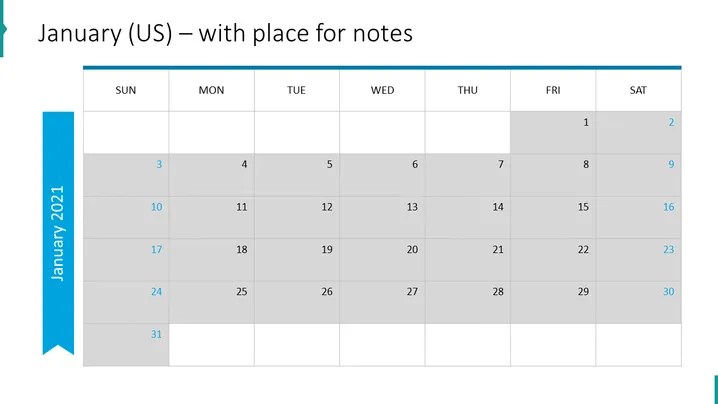
The slide displays a calendar for the month of January, formatted according to US standards with Sunday as the first day of the week. The days are laid out in a grid with dates 1 through 31, indicating a full month's view. Weekends are highlighted in a different shade to distinguish them from weekdays. An arrow-shaped bookmark on the left with the text "January 2021" suggests that this is part of a series or a single slide from a set of monthly calendars. Additional space seemingly provided for annotations hints at functionality for planning and note-taking.
Graphical Look
- A large heading at the top in dark text denotes the slide's primary focus, the month of January, and its functionality as a note-friendly layout.
- On the left-hand side, a wide vertical blue banner features white text displaying the year "January 2021" and is oriented vertically.
- A light blue horizontal stripe beneath the heading spans the width of the slide, creating a color accent that separates the header from the calendar content.
- The calendar is composed of a grid with columns labeled "SUN" through "SAT," representing the days of the week.
- Dates are filled in a lighter shade of gray for weekdays and an even lighter shade for weekends, creating a visual distinction.
- Each cell of the calendar appears spacious enough to write notes or mark events.
- There is no footer information to be described.
The overall look of the slide is clean and professional, with a simple color scheme that effectively highlights important information. The design facilitates ease of use for planning and organizing dates.
Use Cases
- To plan and present project timelines during business planning sessions.
- As part of a monthly report to showcase significant dates or deadlines.
- In a personal planner for organizing meetings, appointments, or work schedules.
- For academic presentations to outline the academic calendar, including holidays, exam periods, or deadlines.
How to Edit
How to edit text & colors

How to expand / shorten diagram

How to Replace Icons in infoDiagram PPT


