Reviews
Ihre Grafiken verleihen meinen Präsentationen eine nette Note, und ich habe sie kürzlich für eines meiner All-Hands-Meetings verwendet. Ihre Toolbox verleiht meinen Folien Professionalität, anstatt Standard-Clipart zu verwenden.
Ich brauchte einen neuen Blick auf einige meiner Folien. Ich habe versucht, einen Weg zu finden, einen Pinselschlag-Effekt zu erzielen, um zu unterstreichen, hervorzuheben, Farbe hinzuzufügen, und die handgeschriebenen Markierungen waren genau das Richtige. Sehr einfach zu bedienen, leicht in der Größe zu ändern, die Farbe zu ändern. Es war eine erschwingliche, perfekte Lösung und ich empfehle sie gerne weiter.
Die klare, saubere Optik der Grafiken und die Tatsache, dass ich die Farben leicht bearbeiten und an die Vorlage anpassen konnte, war mein Hauptgrund für den Kauf.
Description
January (US)
Slide Content
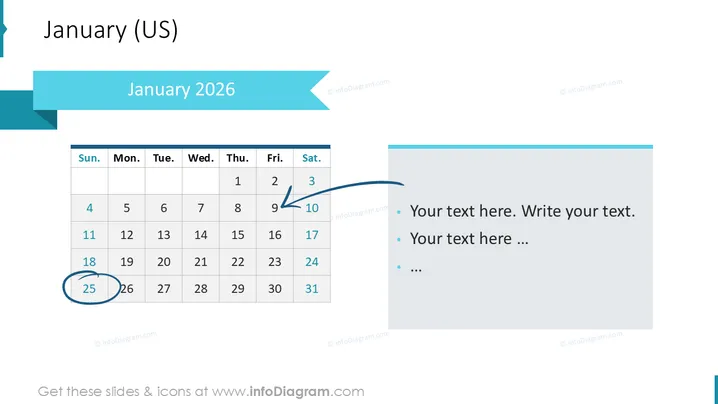
The slide features a calendar for January 2025. There's an emphasis on the 11th, which is highlighted and has an arrow pointing towards it, suggesting an important date or event. Another date of note is the 26th, which is circled, potentially indicating another significant day. On the right side, there are bullet points for text, signifying that detailed information or commentary related to the calendar dates can be added.
Graphical Look
- The slide background is white.
- In the upper left corner, the slide title "January 2025" is placed within a solid aqua-colored shape.
- A traditional grid-style calendar occupies the left half of the slide, with days of the week and dates for January 2025.
- The 11th is highlighted with a blue rectangular shape and connected to an arrow that extends towards the right text box.
- The 26th is encircled, drawing attention to it.
- On the right side, a vertical rectangular shape with rounded corners holds bullet points for adding text.
- The bullet points use a lower font size than the title and are marked by blue circular icons.
The overall look is clean and business-like, using a mix of visual cues like highlighting, arrows, and circles to draw attention to specific calendar dates. The color scheme is limited to shades of blue and grey, providing a professional appearance.
Use Cases
- To mark important business deadlines or milestones in a presentation.
- For project management updates, highlighting key dates.
- In an educational setting, to indicate important academic calendar dates.
- During a planning meeting, to discuss upcoming events or initiatives.
How to Edit
How to edit text & colors

How to expand / shorten diagram

How to Replace Icons in infoDiagram PPT


