Reviews
Sus gráficos añaden un toque agradable a mis presentaciones y recientemente los usé para una de mis reuniones generales. Su conjunto de herramientas añade profesionalismo a mis diapositivas. En lugar de usar imágenes prediseñadas estándar.
Necesitaba un aspecto fresco para algunas de mis diapositivas. Había intentado encontrar una forma de crear un efecto de pincel, de subrayar, acentuar, añadir algo de color y los marcadores escritos a mano fueron justo lo que necesitaba. Muy fácil de usar, fácil de ajustar el tamaño, cambiar el color. Fue una solución asequible y perfecta, y estoy feliz de recomendarla.
El aspecto nítido y limpio de los gráficos, y el hecho de que me permitiera editar y cambiar fácilmente los colores para que coincidieran con la plantilla fue mi principal razón para comprarlos.
Description
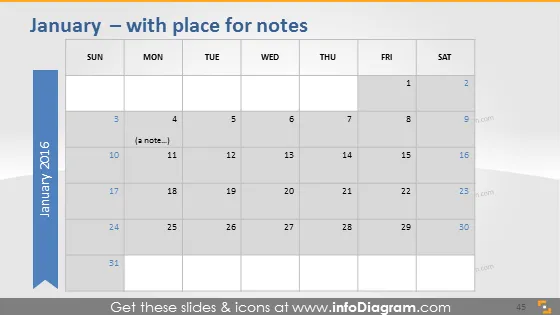
January – with place for notes
Slide Content
The slide features a calendar for the month of January 2016. It is formatted to have spaces where notes can be added. Each week is presented in rows, with individual days in columns labeled from Sunday to Saturday. A single note is visible on January 10th, suggesting that this calendar template is interactive and allows for input from the user.
Graphical Look
- The slide's background is a gradient from white to light gray.
- Days of the week are listed at the top in bold text.
- Dates are arranged in a grid pattern.
- A prominent light blue ribbon on the left with the year "2016" oriented vertically.
- Partial transparency is used on the ribbon for a modern look.
- The note on January 10th is represented by a pencil icon.
- Shadows on the calendar provide a sense of depth.
- The slide employs a clean, minimalist design, utilizing space for a clear visual hierarchy.
The overall look of the slide is modern and professional, with a clean and minimalist aesthetic that emphasizes functionality.
Use Cases
- To outline project timelines, key dates, and milestones in a business presentation.
- As a monthly planner for editorial content or social media scheduling.
- To track participation or attendance for events or training sessions.
- For personal planning, displayed during meetings to discuss availability and schedule appointments.
How to Edit
How to edit text & colors

How to expand / shorten diagram

How to Replace Icons in infoDiagram PPT


