Reviews
The icons are fantastic, easy to use, and will add value to any project or presentation. Keep up the great work.
I love how simple infoDiagram's solutions are and the personal interest they took in my work. Recommended 1000%!
The crisp, clean look of the graphics, and the fact that it allowed me to easily edit and change the colors to match the template was my main reason for purchasing them.
Description
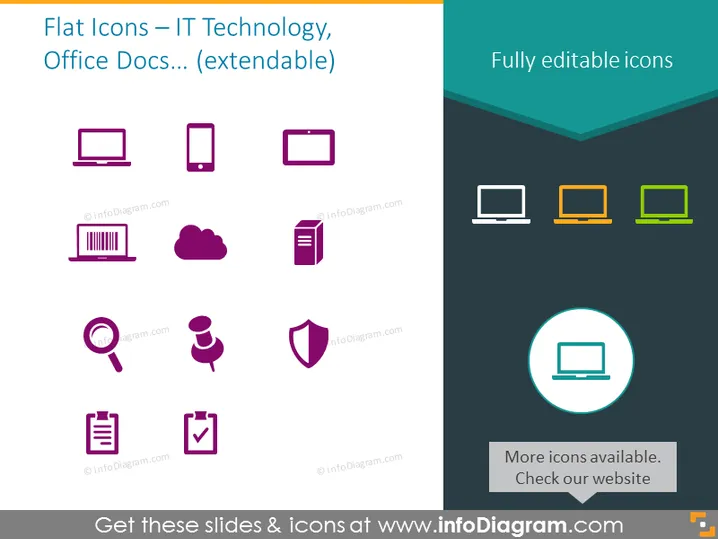
Flat Icons – IT Technology, Office Docs... (extendable)
Slide Content
The slide is likely highlighting a set of flat icons tailored for presentations related to IT technology and office documentation. There are multiple icons indicating various tech devices and office-related concepts. Devices include a desktop computer, smartphone, tablet, and barcode, representing hardware and information scanning tools. Cloud and file icons signify data storage and document formats, whereas a magnifying glass icon, a figure with speech bubbles, and a shield icon likely stand for search, communication, and security respectively. A checklist represents task completion or verification processes.
Graphical Look
- The slide background is divided into two hues: a light grey on the left and a darker grey on the right separated by a chevron pattern in teal color.
- All icons are presented with a two-color scheme: purple icons on the lighter background side and orange to green gradient icons on the darker background side.
- A prominent circle with a lighter teal background and white border highlights a laptop icon in the lower right section.
- Each set of icons is arranged in a grid pattern with ample spacing, ensuring visual clarity.
- The icons themselves are stylistic and minimalistic, without any elaborate detailing to maintain the 'flat' design aesthetic.
- The font used for the text seems to be a simple, modern sans-serif, enhancing readability.
The overall look of the slide is clean and modern, with a clear emphasis on visual elements. The color contrast effectively segregates different sets of icons, which aids in maintaining an organized layout.
Use Cases
- Illustrating different technological tools and concepts in corporate training or educational presentations.
- Enhancing slides with relevant visuals in a presentation about IT infrastructure or office management systems.
- Utilizing icons as metaphors in discussions during technology-focused strategic meetings.
- Incorporating into marketing materials to visually represent services or features related to technology and office documentation.
How to Edit
How to edit text & colors

How to expand / shorten diagram

How to Replace Icons in infoDiagram PPT


