Reviews
Your graphics add a nice touch to my presentations and I recently used them for one of my all-hands meetings. Your toolbox adds professionalism to my slides. Instead of using standard clipart.
I needed a fresh look at some of my slides. I've tried to find a way to create a paintbrush effect, to underline, accentuate, add some color and the handwritten markers were just the things. Very easy to use, easy to size, change the color. It was an affordable, perfect solution and I'm happy to recommend it.
The crisp, clean look of the graphics, and the fact that it allowed me to easily edit and change the colors to match the template was my main reason for purchasing them.
Description
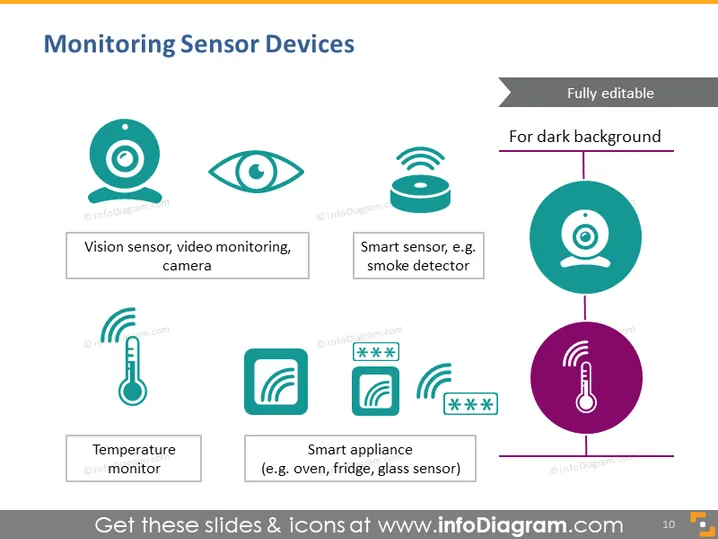
Monitoring Sensor Devices
Slide Content
The slide titled "Monitoring Sensor Devices" discusses different types of sensor devices used for monitoring purposes. It displays four items: a Vision sensor for video monitoring and cameras, represented by an eye-like icon; a Smart sensor exemplified by a smoke detector, using a round icon with signal waves; a Temperature monitor depicted by a thermometer icon; and a Smart appliance, such as an oven, fridge, or glass sensor, portrayed with a square icon and signal waves. Each icon is paired with a brief description elaborating on the device's function.
Graphical Look
- The slide has a light gray background with a mix of teal and purple graphical elements.
- At the top center, there is a bold title "Monitoring Sensor Devices" in dark teal text.
- To the right, there is a small text box that says "Fully editable" with an arrow and "For dark background."
- There are four icons evenly distributed across the slide, two in teal and two in purple, each representing different sensor devices.
- Each icon is encircled with a thin line, creating a minimalistic, modern aesthetic.
- Below each icon, there is a short description in a small-sized, dark gray font, explaining the device type or example usage.
- Teal and purple vertical dividers separate the icons and text, aiding visual organization and balance.
- The slide uses sans-serif fonts for all text, creating a clean look.
The slide has a sleek, professional design with a good balance of text and visuals laid out in an easily digestible format.
Use Cases
- Presenting an overview of sensor technologies during a business meeting or tech conference.
- Offering a summary of products or tools available in a smart home or IoT (Internet of Things) solution pitch.
- Training or educational purposes to illustrate various types of monitoring devices and their applications.
- Sales pitches or product demonstrations where visuals can help explain the functional diversity of sensor devices.
How to Edit
How to edit text & colors

How to expand / shorten diagram

How to Replace Icons in infoDiagram PPT


