Reviews
Sus gráficos añaden un toque agradable a mis presentaciones y recientemente los usé para una de mis reuniones generales. Su conjunto de herramientas añade profesionalismo a mis diapositivas. En lugar de usar imágenes prediseñadas estándar.
Necesitaba un aspecto fresco para algunas de mis diapositivas. Había intentado encontrar una forma de crear un efecto de pincel, de subrayar, acentuar, añadir algo de color y los marcadores escritos a mano fueron justo lo que necesitaba. Muy fácil de usar, fácil de ajustar el tamaño, cambiar el color. Fue una solución asequible y perfecta, y estoy feliz de recomendarla.
El aspecto nítido y limpio de los gráficos, y el hecho de que me permitiera editar y cambiar fácilmente los colores para que coincidieran con la plantilla fue mi principal razón para comprarlos.
Description
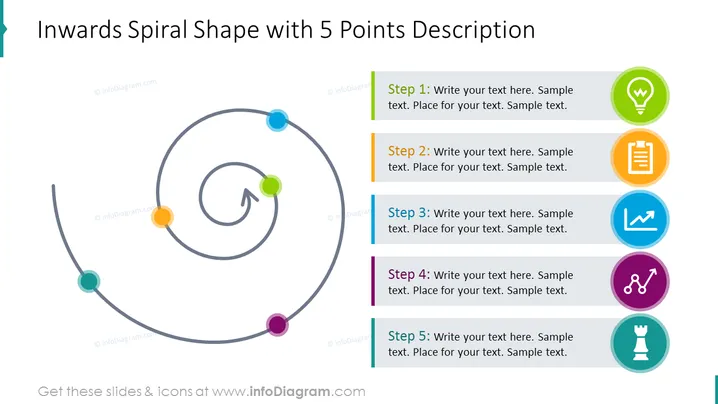
Inwards Spiral Shape with 5 Points Description
Slide Content
The slide provides a visual framework for presenting a process or journey with five distinct steps or points. Each point has a corresponding space for text to expand on its significance:
- Step 1: This might represent the starting point or introduction of a concept.
- Step 2: Could indicate the next phase or development based on the previous step.
- Step 3: May delve into more complex details or a pivotal moment in the sequence.
- Step 4: Likely introduces the preparation for the conclusion or results.
- Step 5: This is presumably the final step, conclusion, or the outcome of the process.
Graphical Look
- The slide background is white for maximum contrast and readability.
- On the left side, a grey inwards spiral shape is depicted with multi-colored circular nodes, each representing one of the five steps.
- Each node on the spiral is connected with a thin grey line, indicating the flow of steps.
- An arrowhead is situated at the center of the spiral, suggesting the direction of progression towards the center.
- On the right side, there are five rectangular shapes lined up vertically, each containing the step number, a placeholder for text, and a distinct colored stripe on its left side.
- Next to each rectangular shape, there is a circular icon with a symbol representing each step: a light bulb, a document, a chart, a node connecting two dots, and a chess pawn.
- The rectangles and icons have a flat design with simple lines and a clear layout for readability.
The slide has a clean and modern design, using flat graphics and a limited color palette to emphasize clarity. The icons provide an associative visual cue to each step, facilitating easier comprehension of the presentation's content.
Use Cases
- To outline a step-by-step strategy or plan in a business meeting.
- For educational purposes, explaining different stages of a learning process.
- In marketing presentations to describe the customer journey or sales funnel.
- During project management updates to visualize the phases of project development or milestones reached.
How to Edit
How to edit text & colors

How to expand / shorten diagram

How to Replace Icons in infoDiagram PPT


