Reviews
Your graphics add a nice touch to my presentations and I recently used them for one of my all-hands meetings. Your toolbox adds professionalism to my slides. Instead of using standard clipart.
I needed a fresh look at some of my slides. I've tried to find a way to create a paintbrush effect, to underline, accentuate, add some color and the handwritten markers were just the things. Very easy to use, easy to size, change the color. It was an affordable, perfect solution and I'm happy to recommend it.
The crisp, clean look of the graphics, and the fact that it allowed me to easily edit and change the colors to match the template was my main reason for purchasing them.
Description
Inventory Analysis Icons Set - Stock Management
Slide Content
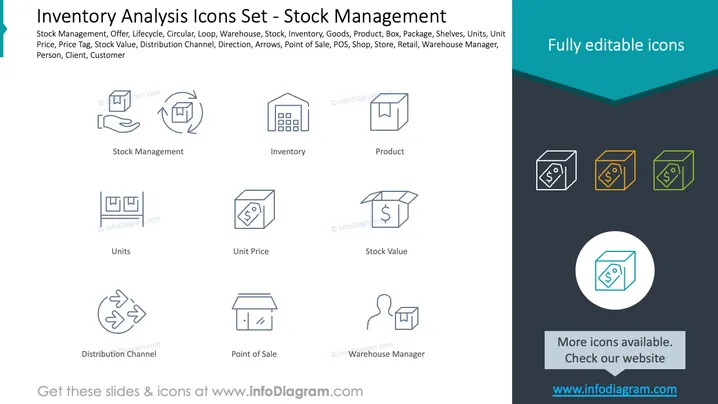
The PowerPoint slide presents an "Inventory Analysis Icons Set" related to various aspects of stock management. It features a list of keywords including Stock Management, Offer, Lifecycle, Warehouse, Inventory, etc., and displays corresponding icons such as Stock Management (two arrows forming a circular loop), Inventory (depiction of a warehouse building), Product (a box shape), and more. Each concept, represented by an icon, is defined by illustrative graphics indicating functions within stock management, like Units (boxes with "U" and "W"), Unit Price (tag with a dollar sign), or Distribution Channel (arrows moving circularly between three points).
Graphical Look
- The slide background is white with a dark gray footer area.
- There's a teal-colored strip at the top right corner with the text "Fully editable icons" in white.
- Icons are presented in two rows, each with five symbols, and are uniformly styled in light gray lines.
- Under each icon, there are titles in a smaller, black font.
- A focus is given to one set of three icons in the top right, which have colored outlines in teal, gold, and green.
- One icon is centered within a larger circle in the lower right, with a gray highlight, indicating emphasis or a featured icon.
- A gray rectangle near the bottom right contains text promoting additional icons and a website link in white font.
The slide employs a clean and minimalist design with a professional look. The use of colors is restrained to highlight select icons and for branding purposes.
Use Cases
- Presenting an overview of inventory management concepts in a business meeting.
- Illustrating different aspects of stock management during a supply chain training session.
- Highlighting key inventory metrics for discussion in a strategic planning workshop.
- Using as a visual aid in a pitch to potential investors to emphasize inventory control capabilities.
How to Edit
How to edit text & colors

How to expand / shorten diagram

How to Replace Icons in infoDiagram PPT


