Reviews
Your graphics add a nice touch to my presentations and I recently used them for one of my all-hands meetings. Your toolbox adds professionalism to my slides. Instead of using standard clipart.
I needed a fresh look at some of my slides. I've tried to find a way to create a paintbrush effect, to underline, accentuate, add some color and the handwritten markers were just the things. Very easy to use, easy to size, change the color. It was an affordable, perfect solution and I'm happy to recommend it.
The crisp, clean look of the graphics, and the fact that it allowed me to easily edit and change the colors to match the template was my main reason for purchasing them.
Description
Icons: Production
Slide Content
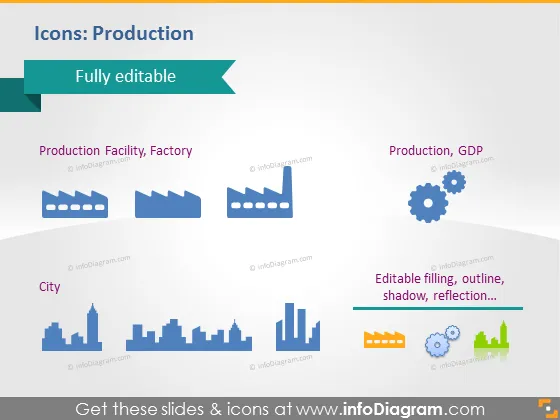
The slide titled "Icons: Production" offers a collection of stylized icons related to the theme of production, categorized under three headings: Production Facility, Factory; City; and Production, GDP. Each category is exemplified through simple but recognizable symbols: industrial buildings and smokestacks for factories, skyline silhouettes for cities, and gears and graphs for GDP-related production metrics. These icons are designed to be fully editable, suggesting that users can customize their appearance such as filling, outline, shadow, and reflection to fit various presentation needs.
Graphical Look
- The slide background is a plain, light blue gradient.
- At the top, there's a dark turquoise header with the text "Fully editable" accompanied by a ribbon icon, all inside a pointed banner shape.
- There are three sets of icons, each with a descriptive label below them in a smaller font size.
- The first set represents "Production Facility, Factory" with two factory building icons.
- The second set represents "City" with two different skyline icons.
- The third set represents "Production, GDP" with a gear icon and two different graph icons.
- On the right-hand side, there's a vertical text box with the phrases "Editable filling, outline, shadow, reflection…", which is formatted in multiple colors corresponding to the graphic elements it describes.
The slide's overall look is professional, with a clean and organized design. The icons are minimalistic with a flat design style, which gives the slide a modern and accessible feel.
Use Cases
- Presenting various sectors of industrial production within an economic report.
- Illustrating components of urban development within a city planning presentation.
- Discussing GDP contributions by sector in an economic or finance-related meeting.
- Customizing visual aids for a business strategy presentation to showcase different production outputs.
How to Edit
How to edit text & colors

How to expand / shorten diagram

How to Replace Icons in infoDiagram PPT


