Reviews
Your graphics add a nice touch to my presentations and I recently used them for one of my all-hands meetings. Your toolbox adds professionalism to my slides. Instead of using standard clipart.
I needed a fresh look at some of my slides. I've tried to find a way to create a paintbrush effect, to underline, accentuate, add some color and the handwritten markers were just the things. Very easy to use, easy to size, change the color. It was an affordable, perfect solution and I'm happy to recommend it.
The crisp, clean look of the graphics, and the fact that it allowed me to easily edit and change the colors to match the template was my main reason for purchasing them.
Description
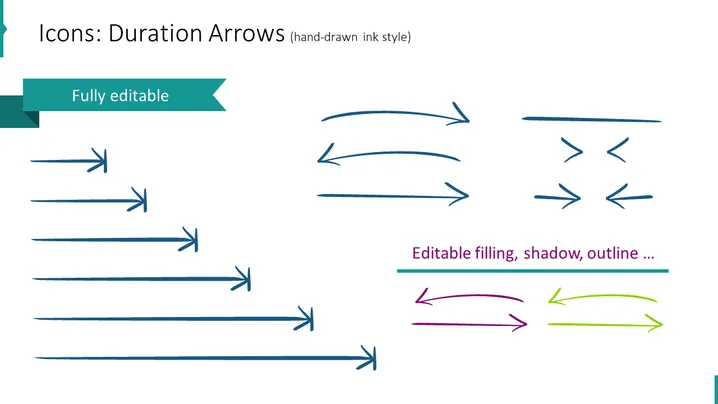
Icons: Duration Arrows (hand-drawn ink style)
Slide Content
The slide is showcasing a collection of duration arrow icons designed in a hand-drawn ink style, emphasizing their fully editable nature. These arrows can be customized with different fillings, shadows, and outlines. The arrows are presented in a variety of shapes and orientations to represent different concepts of time and processes in presentations: straight, curved, bi-directional, or as a simple line, each variation potentially corresponding to a different timeline, phase, or step in a process.
Graphical Look
- A large title in the upper left corner in dark teal color.
- A teal banner below the title with the text "Fully editable" in white.
- A collection of 12 arrow icons arranged in three rows.
- The first row contains four straight rightward-pointing arrows of varying lengths.
- The second row has three curved arrows — two pointing right and one left.
- The third row includes two pairs of bi-directional arrows and two curved arrows, with one pointing left and another right.
- The right lower section contains a cyan banner with the words "Editable filling, shadow, outline ..." in white text.
- The bottom row on the right has three arrows in purple, pink, and green colors to demonstrate the editable color feature.
The slide has a clean and minimalist design, with a white background that makes the colored arrows stand out. The choice of a consistent color palette and hand-drawn style gives the slide a friendly and approachable feel.
Use Cases
- Visualizing timelines and processes in project management presentations.
- Demonstrating sequencing or flow in business operations or marketing strategies.
- Enhancing instructional materials with directional cues for better comprehension.
- Adding a personalized touch to slides with customizable iconography for various presentation themes.
How to Edit
How to edit text & colors

How to expand / shorten diagram

How to Replace Icons in infoDiagram PPT


