Reviews
Your graphics add a nice touch to my presentations and I recently used them for one of my all-hands meetings. Your toolbox adds professionalism to my slides. Instead of using standard clipart.
I needed a fresh look at some of my slides. I've tried to find a way to create a paintbrush effect, to underline, accentuate, add some color and the handwritten markers were just the things. Very easy to use, easy to size, change the color. It was an affordable, perfect solution and I'm happy to recommend it.
The crisp, clean look of the graphics, and the fact that it allowed me to easily edit and change the colors to match the template was my main reason for purchasing them.
Description
Icon Set of All Chess Pieces – Editable Outline and Flat Shapes
Slide Content
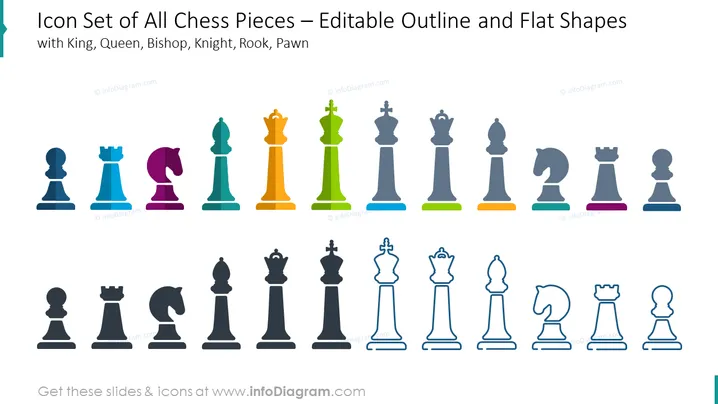
This PowerPoint slide presents a complete set of chess piece icons, each illustrated in both a flat color design and an outlined version. The set includes the King, Queen, Bishop, Knight, Rook, and Pawn, each of which represents a distinct role within the game of chess with varying powers and movement capabilities. The King signifies the main piece to protect, the Queen is the most powerful piece, the Bishop moves diagonally across the board, the Knight in an L shape, the Rook in straight lines, and the Pawns proceed forward one square at a time.
Graphical Look
- The slide background is white.
- Colored icons of chess pieces are displayed in the top row.
- Each colored icon corresponds with a monochromatic outlined version directly below it.
- The colored icons include shades of blue, purple, pink, green, yellow, and grey.
- The outlined versions are in grey tones.
- Chess pieces are represented in a modern, stylized iconography.
- Flat colored and outlined icons are neatly aligned in two parallel rows.
- Each piece has its own base line in different colors for colored versions, and a simple, subtle shadow for the outlined ones.
The slide has a minimalistic and colorful design. The visual emphasis is on the differentiation between colorful and monochrome chess piece icons, representing two design styles.
Use Cases
- To illustrate different roles or team members within a company or project team structure.
- As a metaphor for strategic planning or decision making in a business context.
- To represent different options or categories in an infographic or educational presentation.
- In gamification contexts to explain progress, levels, or roles within a game-like framework in a corporate training scenario.
How to Edit
How to edit text & colors

How to expand / shorten diagram

How to Replace Icons in infoDiagram PPT


