Reviews
Sus gráficos añaden un toque agradable a mis presentaciones y recientemente los usé para una de mis reuniones generales. Su conjunto de herramientas añade profesionalismo a mis diapositivas. En lugar de usar imágenes prediseñadas estándar.
Necesitaba un aspecto fresco para algunas de mis diapositivas. Había intentado encontrar una forma de crear un efecto de pincel, de subrayar, acentuar, añadir algo de color y los marcadores escritos a mano fueron justo lo que necesitaba. Muy fácil de usar, fácil de ajustar el tamaño, cambiar el color. Fue una solución asequible y perfecta, y estoy feliz de recomendarla.
El aspecto nítido y limpio de los gráficos, y el hecho de que me permitiera editar y cambiar fácilmente los colores para que coincidieran con la plantilla fue mi principal razón para comprarlos.
Description
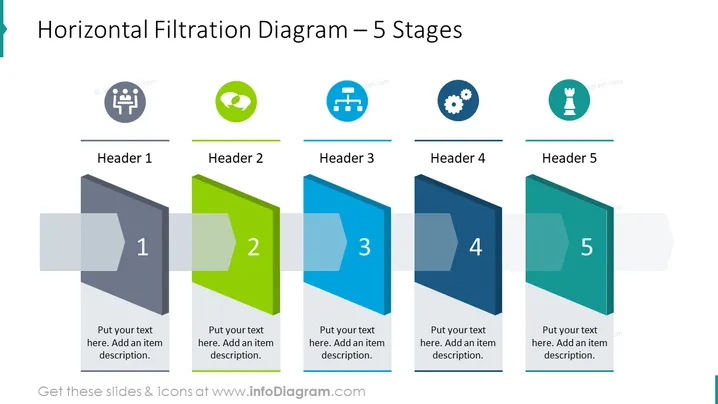
Horizontal Filtration Diagram – 5 Stages
Slide Content
The slide is dedicated to a process visualization using a horizontal filtration diagram that illustrates five distinct stages. Each stage is labeled from "Header 1" to "Header 5", signifying sequential steps in a process. Accompanying each header, there is a space to put a description for that specific stage. This slide could be used to describe a workflow, a project timeline, or the phase-by-phase progression of an idea from inception to completion.
Graphical Look
- The slide background is white, which allows the colored elements to stand out.
- There are five stylized panels representing stages, each with a unique color (gray, green, blue, darker blue, teal) and numbered from 1 to 5.
- Each panel overlaps the previous one slightly, suggesting progression.
- Above each panel, there's a corresponding header placeholder labeled "Header 1" to "Header 5."
- Above these placeholders are colored circles with icons, each tied to the color of its corresponding stage.
- The icons include a group of people, a speech bubble with a puzzle piece, a pipe network, a gear, and a chess piece.
- Below each panel, there is text placeholder for adding descriptions.
The slide has a clean and modern design with a professional look, utilizing colors and shapes effectively to convey a sense of progression and organization in a process. The overlay of panels creates a dynamic flow from left to right, guiding the viewer's eye through the stages.
Use Cases
- Presenting a business process or workflow that consists of five key stages or phases.
- Describing a project timeline with clear steps, for project management and planning purposes.
- Outlining a strategy or plan of action, breaking it down into manageable segments for a team or presentation audience.
- Showcasing a product development lifecycle, from ideation to market launch, in a simplified graphical form.
How to Edit
How to edit text & colors

How to expand / shorten diagram

How to Replace Icons in infoDiagram PPT


