Reviews
Your graphics add a nice touch to my presentations and I recently used them for one of my all-hands meetings. Your toolbox adds professionalism to my slides. Instead of using standard clipart.
I needed a fresh look at some of my slides. I've tried to find a way to create a paintbrush effect, to underline, accentuate, add some color and the handwritten markers were just the things. Very easy to use, easy to size, change the color. It was an affordable, perfect solution and I'm happy to recommend it.
The crisp, clean look of the graphics, and the fact that it allowed me to easily edit and change the colors to match the template was my main reason for purchasing them.
Description
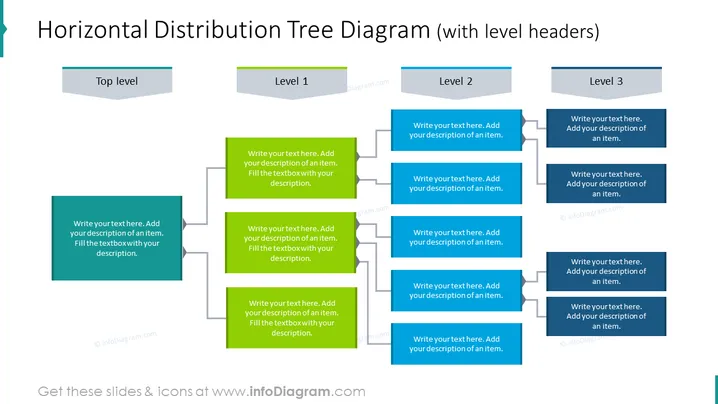
Horizontal Distribution Tree Diagram (with level headers)
Slide Content
The slide presents a Horizontal Distribution Tree Diagram with level headers designed to illustrate hierarchical information or organizational structures. The diagram has one "Top level" box at the far left, leading to three branches labeled "Level 1," "Level 2," and "Level 3." Each of these branches further divides into two boxes where descriptions can be added, providing detail on subordinate elements or steps that relate to each of the main levels.
Graphical Look
- The slide has a clean and flat design aesthetic.
- A large bold title is centered at the top in dark text.
- To the left, there is a dark teal rectangle labeled "Top level" with a lighter overlay for the text.
- Each subsequent level is represented with a light gray header rectangle labeled "Level 1," "Level 2," and "Level 3," each progressively indented to the right.
- Below each level header, there are two matching rectangles for additional descriptions, connected by lines to their respective headers, indicating hierarchy. These rectangles are also dark teal with lighter overlays for text.
- All rectangles have a slight shadow effect suggesting a layered look.
- A white background enhances the contrast of the elements.
The overall look of the slide is modern and professional, with a clear visual hierarchy made evident through indented levels and connecting lines. The color scheme is simple, focusing on teal and gray to distinguish elements.
Use Cases
- To depict company or team structure, showing how different departments or roles are interconnected.
- For demonstrating step-by-step processes or workflows with multiple dependencies or branches.
- In educational settings, to outline the structure of a course or chapter, breaking down into sections and subtopics.
- For project management presentations, to illustrate the distribution of tasks across various project stages or teams.
How to Edit
How to edit text & colors

How to expand / shorten diagram

How to Replace Icons in infoDiagram PPT


