Reviews
Sus gráficos añaden un toque agradable a mis presentaciones y recientemente los usé para una de mis reuniones generales. Su conjunto de herramientas añade profesionalismo a mis diapositivas. En lugar de usar imágenes prediseñadas estándar.
Necesitaba un aspecto fresco para algunas de mis diapositivas. Había intentado encontrar una forma de crear un efecto de pincel, de subrayar, acentuar, añadir algo de color y los marcadores escritos a mano fueron justo lo que necesitaba. Muy fácil de usar, fácil de ajustar el tamaño, cambiar el color. Fue una solución asequible y perfecta, y estoy feliz de recomendarla.
El aspecto nítido y limpio de los gráficos, y el hecho de que me permitiera editar y cambiar fácilmente los colores para que coincidieran con la plantilla fue mi principal razón para comprarlos.
Description
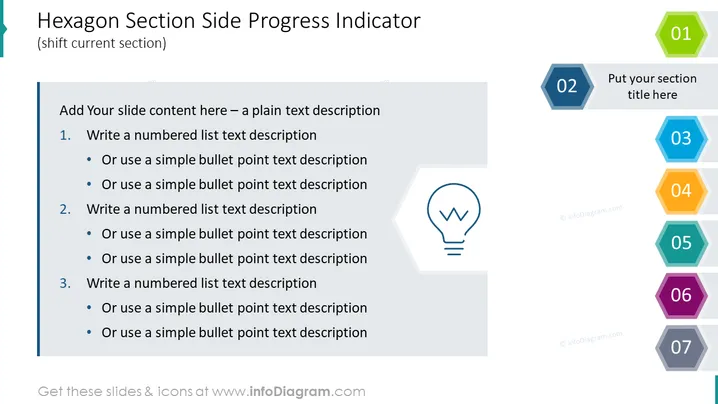
Hexagon Section Side Progress Indicator
(shift current section)
Slide Content
The slide is designed to show a progression or a series of steps with a side progress indicator made up of hexagons. The main area of the slide is dedicated to content, with suggestions to add a numbered list or bullet points for descriptions. Each number corresponds with a hexagon progress indicator, providing a visual representation of the sequence. This formatting encourages the organization of information in a step-by-step manner, making complex topics easier to follow.
Graphical Look
- Seven numbered hexagons aligned vertically on the right side, color-coded from green to violet, indicating progression or steps in a process.
- A large, light grey text box is placed on the left side to hold content, with three levels of text indentation: main point (numbered), sub-point (bullet), and another level of bullet point indented under the first.
- A small icon resembling a traditional light bulb with lines symbolizing illumination is situated at the bottom left corner inside a faint hexagon, possibly signifying ideas or inspiration.
- The slide background is white, providing a clean and neutral backdrop that emphasizes the colorful hexagons and content area.
The slide has a professional and modern design, with a crisp and ordered layout. It uses a color gradient to differentiate between the steps, which helps to clearly indicate the progression.
Use Cases
- To present project milestones or phases in a business strategy plan, aiding in visualizing the sequence of steps.
- During educational presentations, to outline the key points of a lesson or module, providing a clear path for viewers to follow.
- For reporting progress in team meetings, where each hexagon can represent a different task or objective that has been achieved.
- In sales pitches, to explain a service or product development process, enhancing understanding through a structured visual aid.
How to Edit
How to edit text & colors

How to expand / shorten diagram

How to Replace Icons in infoDiagram PPT


