Reviews
Your graphics add a nice touch to my presentations and I recently used them for one of my all-hands meetings. Your toolbox adds professionalism to my slides. Instead of using standard clipart.
I needed a fresh look at some of my slides. I've tried to find a way to create a paintbrush effect, to underline, accentuate, add some color and the handwritten markers were just the things. Very easy to use, easy to size, change the color. It was an affordable, perfect solution and I'm happy to recommend it.
The crisp, clean look of the graphics, and the fact that it allowed me to easily edit and change the colors to match the template was my main reason for purchasing them.
Description
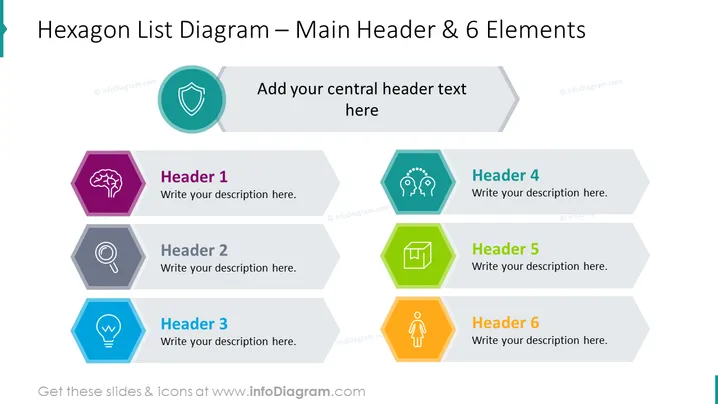
Hexagon List Diagram – Main Header & 6 Elements
Slide Content
This PowerPoint slide is titled "Hexagon List Diagram – Main Header & 6 Elements" and seems designed for presenting up to six different concepts or ideas. Each concept is represented by a hexagon with a unique color and icon, paired with a space for a header and description. For example, "Header 1" could represent intelligence or brainstorming as indicated by the brain icon and is filled with a deep purple. Each subsequent hexagon follows a similar pattern, suggesting a structured approach to categorization or process steps.
Graphical Look
- The slide has a large, bold title at the top in a dark font.
- There is a central element with a rounded hexagon for a main idea, labeled "Add your central header text here," positioned slightly towards the top of the slide.
- Six smaller hexagonal shapes, each a different color, radiate outward from the central hexagon.
- Every hexagon contains a white icon that symbolizes its respective concept (e.g., a brain, magnifying glass, light bulb, etc.).
- Adjacent to each hexagonal shape, there is a rectangular area for adding a header and description text.
- The slide background is a light color, offering a clean and professional look.
The slide is visually balanced with a mix of geometric shapes and icons that are both colorful and symbolic. The arrangement of elements, with a central focus and emanating points, suggests a relational or distributive structure.
Use Cases
- To display a central idea or theme and elaborate on its multiple aspects or related concepts.
- For breaking down components of a business strategy or plan into individual, focusable segments.
- In training presentations, to highlight different skills or topics that will be addressed.
- To illustrate the range of services or product features in a marketing or sales presentation.
How to Edit
How to edit text & colors

How to expand / shorten diagram

How to Replace Icons in infoDiagram PPT


