Reviews
Your graphics add a nice touch to my presentations and I recently used them for one of my all-hands meetings. Your toolbox adds professionalism to my slides. Instead of using standard clipart.
I needed a fresh look at some of my slides. I've tried to find a way to create a paintbrush effect, to underline, accentuate, add some color and the handwritten markers were just the things. Very easy to use, easy to size, change the color. It was an affordable, perfect solution and I'm happy to recommend it.
The crisp, clean look of the graphics, and the fact that it allowed me to easily edit and change the colors to match the template was my main reason for purchasing them.
Description
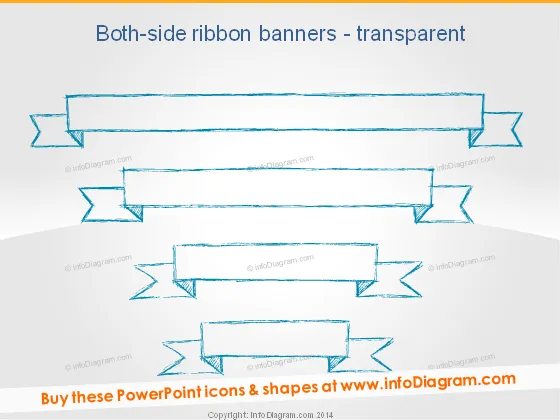
Both-side ribbon banners - transparent
Slide Content
The PowerPoint slide titled "Both-side ribbon banners - transparent" likely aims to provide a visual aid for presenting information in a distinctive and attention-grabbing manner. It contains various styles of two-sided ribbon banners that appear to be transparent, which could be used for highlighting titles, key points, or categories in a presentation. These banners could be filled with custom text to fit the presenter's needs.
Graphical Look
- The slide background is a plain light gradient, serving as a neutral canvas for the content.
- There are four sets of two-sided ribbon banners with varying designs.
- The topmost banner is the longest, spanning across the slide with frayed ends and a subtle three-dimensional effect.
- The second banner is medium-sized with more pronounced folds and sharper frayed ends.
- The third banner is similar to the second but slightly shorter, suggesting a hierarchical order.
- The bottom banner is the shortest, offering a more compact option for succinct information.
- Each banner has a sketched, hand-drawn appearance, using blue lines to create the transparent effect.
- The banners are evenly spaced vertically, giving the slide an organized feel.
- All banners are oriented horizontally, maximizing the use of space for text insertion.
The slide has a creative and casual feel due to the sketched-style of the banners. The banners are visually distinctive, ensuring any added text would stand out to the audience.
Use Cases
- Highlighting section headers or titles in a creative presentation to differentiate between topics.
- Displaying key points or important quotes in a visually appealing way to grab the audience's attention.
- Organizing and categorizing information in training materials where visual cues are helpful for retention.
- Enhancing the visual appeal of promotional or marketing materials by adding a unique design element for brand messages or offers.
How to Edit
How to edit text & colors

How to expand / shorten diagram

How to Replace Icons in infoDiagram PPT


