Reviews
Sus gráficos añaden un toque agradable a mis presentaciones y recientemente los usé para una de mis reuniones generales. Su conjunto de herramientas añade profesionalismo a mis diapositivas. En lugar de usar imágenes prediseñadas estándar.
Necesitaba un aspecto fresco para algunas de mis diapositivas. Había intentado encontrar una forma de crear un efecto de pincel, de subrayar, acentuar, añadir algo de color y los marcadores escritos a mano fueron justo lo que necesitaba. Muy fácil de usar, fácil de ajustar el tamaño, cambiar el color. Fue una solución asequible y perfecta, y estoy feliz de recomendarla.
El aspecto nítido y limpio de los gráficos, y el hecho de que me permitiera editar y cambiar fácilmente los colores para que coincidieran con la plantilla fue mi principal razón para comprarlos.
Description
Hand-drawn Chart Markers
Slide Content
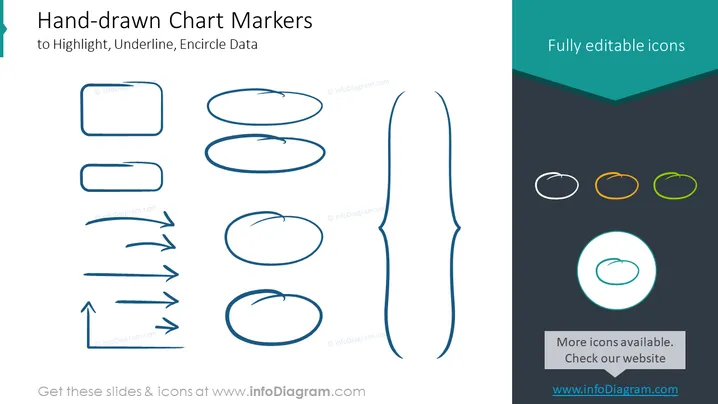
The PowerPoint slide is titled "Hand-drawn Chart Markers" and focuses on various sketched markers that can be used to highlight, underline, or encircle data in presentations. Highlighers are depicted as rectangles and ovals, underlines are simple and arrow-ended lines, and encircling markers are represented as different loops and circles designed to draw attention or emphasize information within a presentation slide.
Graphical Look
- The slide background is white, providing a clean workspace for the objects.
- The title is in a larger, bold font at the top of the slide, in dark text.
- To the left and center, there are various hand-drawn shapes and arrows in blue.
- Shapes include rectangles, ovals, and circles.
- Arrows vary in style with both straight and curved designs, some with arrowheads.
- On the right, there's a dark teal panel with "Fully editable icons" written in light text.
- Within this panel, there are four circle markers with different colors (white, orange, green, highlighted in teal).
- There’s a large brush stroke or pen underline marker in the center right, accentuating the division between the main content and the side panel.
The overall look of the slide is minimalist and modern with a creative touch due to the hand-drawn elements. The contrasting color palette is visually striking, with blue hand-drawn elements drawing attention against the white background and the teal side panel.
Use Cases
- To enhance visual communication within a business presentation by emphasizing key data points.
- For creative touch in educational teaching materials, enabling instructors to highlight important areas.
- In marketing pitches, to underscore unique selling points or captivating statistics.
- During workshops or seminars, to manually annotate slides in real-time for emphasis or audience interaction.
How to Edit
How to edit text & colors

How to expand / shorten diagram

How to Replace Icons in infoDiagram PPT


