

Your graphics add a nice touch to my presentations and I recently used them for one of my all-hands meetings. Your toolbox adds professionalism to my slides. Instead of using standard clipart.
Claude Jones, Director of Engineer, @Walmartlabs, USA

Your graphics add a nice touch to my presentations and I recently used them for one of my all-hands meetings. Your toolbox adds professionalism to my slides. Instead of using standard clipart.
Claude Jones, Director of Engineer, @Walmartlabs, USA
I needed a fresh look at some of my slides. I've tried to find a way to create a paintbrush effect, to underline, accentuate, add some color and the handwritten markers were just the things. Very easy to use, easy to size, change the color. It was an affordable, perfect solution and I'm happy to recommend it.
Anonymous, US
The crisp, clean look of the graphics, and the fact that it allowed me to easily edit and change the colors to match the template was my main reason for purchasing them.
Brandie Jenkins, E-learning Developer, USA
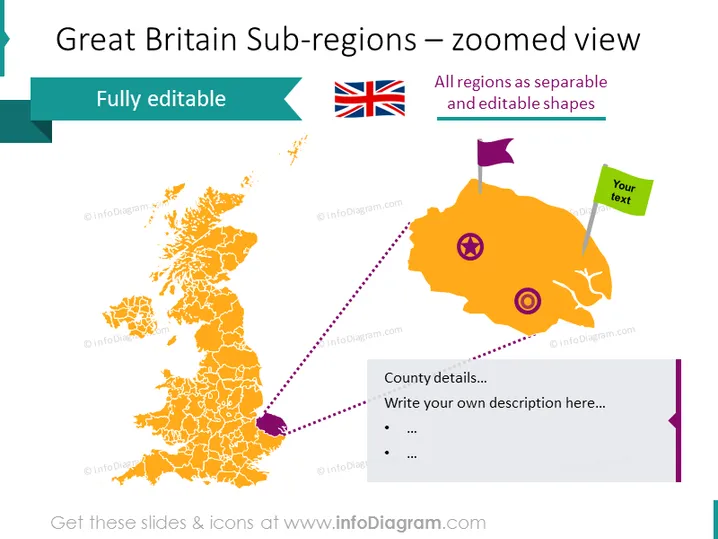
This PowerPoint slide is titled "Great Britain Sub-regions – zoomed view" and appears to focus on geographic information systems, data segmentation, or detailed regional analysis. There is a mention that all regions are represented as separable and editable shapes, suggesting a flexible tool for customization. The slide features a graphic of a map and a zoomed-in section for specific details, emphasizing the editable nature of the regions. The slide implies functionality that allows the user to write custom descriptions and include additional text, enabling detailed presentations of regional data or geographic-focused discussions.
The slide has a colorful and engaging design, with a clear focus on the geographical elements. The combination of maps and icons, along with dedicated text areas, creates an interactive feel suitable for customized information input.



