

Your graphics add a nice touch to my presentations and I recently used them for one of my all-hands meetings. Your toolbox adds professionalism to my slides. Instead of using standard clipart.
Claude Jones, Director of Engineer, @Walmartlabs, USA

Your graphics add a nice touch to my presentations and I recently used them for one of my all-hands meetings. Your toolbox adds professionalism to my slides. Instead of using standard clipart.
Claude Jones, Director of Engineer, @Walmartlabs, USA
I needed a fresh look at some of my slides. I've tried to find a way to create a paintbrush effect, to underline, accentuate, add some color and the handwritten markers were just the things. Very easy to use, easy to size, change the color. It was an affordable, perfect solution and I'm happy to recommend it.
Anonymous, US
The crisp, clean look of the graphics, and the fact that it allowed me to easily edit and change the colors to match the template was my main reason for purchasing them.
Brandie Jenkins, E-learning Developer, USA
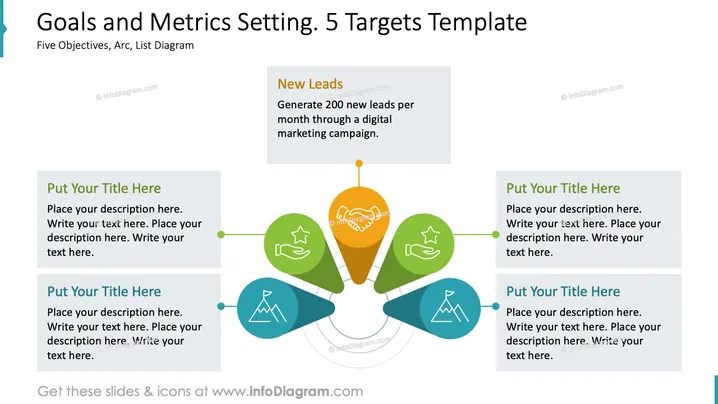
The PowerPoint slide titled "Goals and Metrics Setting. 5 Targets Template" presents a system for outlining five distinct objectives using a central target icon and peripheral elements. Each goal is associated with a placeholder for a title and description, demonstrating an organized approach to strategizing. The example given, "New Leads," clarifies the goal of generating 200 new leads monthly through a digital marketing campaign, elucidating what kind of specific target could be set using this template.
The slide is neatly organized with a clear focal point surrounded by related elements that seem to flow from the center to represent interconnected goals. The use of color helps to distinguish between different areas of focus, while icons add visual cues to each goal's theme.



