Reviews
Your graphics add a nice touch to my presentations and I recently used them for one of my all-hands meetings. Your toolbox adds professionalism to my slides. Instead of using standard clipart.
I needed a fresh look at some of my slides. I've tried to find a way to create a paintbrush effect, to underline, accentuate, add some color and the handwritten markers were just the things. Very easy to use, easy to size, change the color. It was an affordable, perfect solution and I'm happy to recommend it.
The crisp, clean look of the graphics, and the fact that it allowed me to easily edit and change the colors to match the template was my main reason for purchasing them.
Description
Goal, Values Icons
Slide Content
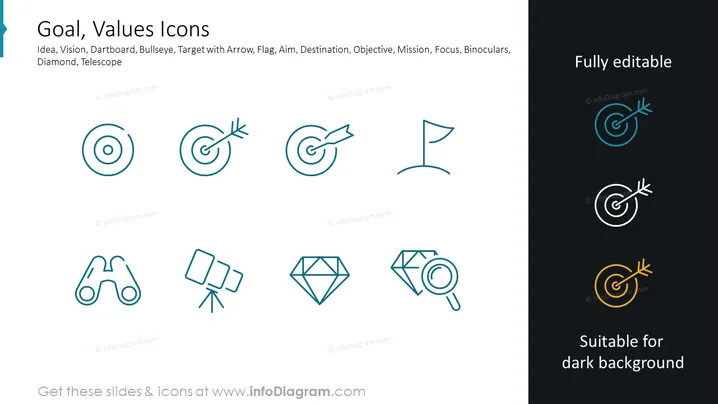
This PowerPoint slide is titled "Goal, Values Icons" and features a series of icons that represent various concepts related to goals and values. Each icon is labeled with a term such as Idea, Vision, Dartboard, Bullseye, Target with Arrow, Flag, Aim, Destination, Objective, Mission, Focus, Binoculars, Diamond, and Telescope. These terms expand on specific concepts like 'Idea' representing creativity or innovation, 'Vision' for future planning, 'Dartboard' and 'Bullseye' symbolizing precision and success, a 'Flag' indicating milestones or achievement, 'Objective' being the specific goal, 'Mission' as the overarching purpose, 'Focus' representing concentration, and 'Binoculars' for foresight, with 'Diamond' and 'Telescope' possibly symbolizing value and long-term vision, respectively.
Graphical Look
- The slide features a clean, minimalist design with a white background.
- There are two rows of icons arranged horizontally, with the top row containing five icons and the bottom row containing four.
- Each icon is styled with a thin line art and is two-toned, primarily in a teal color with some elements in darker teal/blue.
- Icons are paired with their corresponding label in a simple, sans-serif font.
- To the right side of the slide, there is a set of three dartboard icons shown in three different color variations suitable for dark backgrounds.
The slide is visually balanced, with plenty of white space around the icons, creating a modern and professional appearance. The color choice of teal and dark teal provides a calming effect and makes the icons stand out against the white background.
Use Cases
- This slide could be used in corporate presentations to discuss company values, mission statements, or strategic planning.
- It could serve to visually represent different aspects of project goals or milestones in project management presentations.
- The icons may be utilized to enhance visual communication in training materials that explain concepts related to personal and professional development.
- They can be effectively integrated into marketing materials to symbolize the unique selling points or values of a product or service.
How to Edit
How to edit text & colors

How to expand / shorten diagram

How to Replace Icons in infoDiagram PPT


