Reviews
Your graphics add a nice touch to my presentations and I recently used them for one of my all-hands meetings. Your toolbox adds professionalism to my slides. Instead of using standard clipart.
I needed a fresh look at some of my slides. I've tried to find a way to create a paintbrush effect, to underline, accentuate, add some color and the handwritten markers were just the things. Very easy to use, easy to size, change the color. It was an affordable, perfect solution and I'm happy to recommend it.
The crisp, clean look of the graphics, and the fact that it allowed me to easily edit and change the colors to match the template was my main reason for purchasing them.
Description
Go To Market Outline Icons Set – People
Slide Content
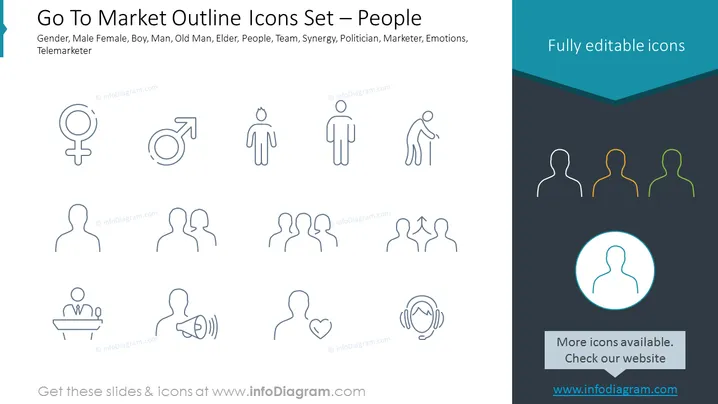
The slide is titled "Go To Market Outline Icons Set – People" and it lists types of icons related to people: Gender, Male Female, Boy, Man, Old Man, Elder, People, Team, Synergy, Politician, Marketer, Emotions, Telemarketer. Gender icons represent sexual identity, Male Female indicates differentiation, Boy and Man signify different age stages, Old Man - aging, People - humanity collectively, Team - a group working together, Synergy shows collaboration, Politician represents governance figures, Marketer signifies sales professionals, Emotions depict human feelings, Telemarketer for telephone sales role.
Graphical Look
- Several sets of icons displayed in a three-row grid.
- Each icon is designed with a simple, line-based outline style.
- The top row features gender and age group icons, specifically female and male symbols, and figures that suggest a boy, adult man, and older man.
- The second row illustrates group and role-based icons, including multiple individuals together, potentially to represent a team or collaboration, plus an icon resembling a politician at a podium and another like a marketer with a megaphone.
- The third row includes icons depicting emotional states, with variations in facial details or body language.
- The color scheme features varying shades of gray for the icons, with one standout icon in a circle highlighted in blue.
- The text "Fully editable icons" is prominently displayed in the top right corner in white text against a dark teal background.
The slide has a clean, minimalist aesthetic with ample whitespace, and the icons are uniformly styled to convey specific concepts abstractly through simple visuals.
Use Cases
- Presenting different demographic segments during a marketing strategy meeting.
- Visualizing team roles and responsibilities in project management presentations.
- Representing customer personas in sales pitches or business proposals.
- Indicating different stakeholders or audience types in a market analysis.
How to Edit
How to edit text & colors

How to expand / shorten diagram

How to Replace Icons in infoDiagram PPT


