Reviews
Sus gráficos añaden un toque agradable a mis presentaciones y recientemente los usé para una de mis reuniones generales. Su conjunto de herramientas añade profesionalismo a mis diapositivas. En lugar de usar imágenes prediseñadas estándar.
Necesitaba un aspecto fresco para algunas de mis diapositivas. Había intentado encontrar una forma de crear un efecto de pincel, de subrayar, acentuar, añadir algo de color y los marcadores escritos a mano fueron justo lo que necesitaba. Muy fácil de usar, fácil de ajustar el tamaño, cambiar el color. Fue una solución asequible y perfecta, y estoy feliz de recomendarla.
El aspecto nítido y limpio de los gráficos, y el hecho de que me permitiera editar y cambiar fácilmente los colores para que coincidieran con la plantilla fue mi principal razón para comprarlos.
Description
GENERAL FUNNEL
Slide Content
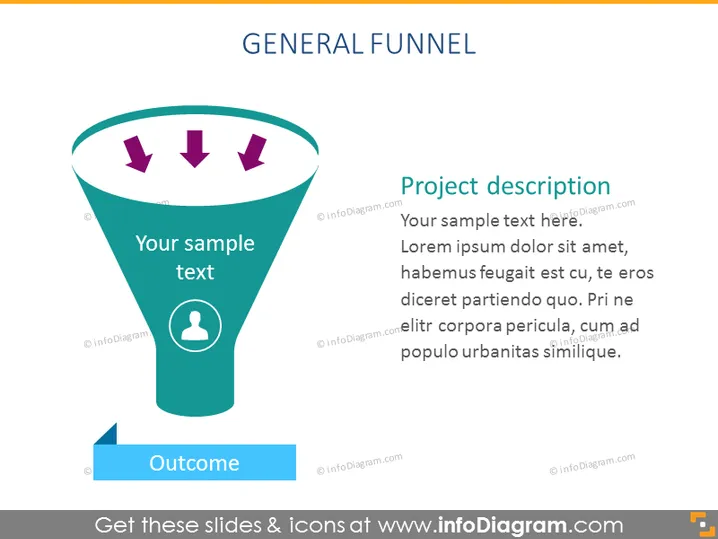
The slide depicts a "General Funnel" with a section for text input labeled "Your sample text" near the top inside the funnel, potentially describing the initial stages of the funnel process. Three arrows point downwards inside the funnel to signify the flow towards an outcome, marked by a ribbon-like shape that also includes a placeholder for text ("Outcome"). Beside the funnel graphic is a section titled "Project description," with placeholder text indicating where a speaker may elaborate on the specifics of the project or process being presented.
Graphical Look
- The slide title "GENERAL FUNNEL" is placed at the top center in bold, capital letters, using a sans-serif font.
- A large teal funnel dominates the left side of the slide, with a white border and a light shadow for a 3D effect.
- Inside the funnel are three purple arrows pointing downwards, indicating movement through the funnel.
- There is a circular icon with a person silhouette at the narrow end of the funnel, signifying the human element or target audience.
- To the right of the funnel is a large text box for the project description, with a purple header and black body text.
- A smaller text box overlaying the wide part of the funnel reads "Your sample text" in white font.
- A blue, banner-like shape at the bottom left of the funnel contains the word "Outcome" in white text.
The visual elements have a flat design with some elements using depth effects like shadows to create a slight 3D look. The use of bold colors and clear icons contributes to a modern and professional appearance.
Use Cases
- To illustrate the stages of a sales or marketing funnel during corporate presentations.
- To visualize the workflow process in project management meetings.
- To explain the customer journey in a product or service during a business strategy session.
- To depict decision-making processes or lead qualification methods in training sessions.
How to Edit
How to edit text & colors

How to expand / shorten diagram

How to Replace Icons in infoDiagram PPT


