

Your graphics add a nice touch to my presentations and I recently used them for one of my all-hands meetings. Your toolbox adds professionalism to my slides. Instead of using standard clipart.
Claude Jones, Director of Engineer, @Walmartlabs, USA

Your graphics add a nice touch to my presentations and I recently used them for one of my all-hands meetings. Your toolbox adds professionalism to my slides. Instead of using standard clipart.
Claude Jones, Director of Engineer, @Walmartlabs, USA
I needed a fresh look at some of my slides. I've tried to find a way to create a paintbrush effect, to underline, accentuate, add some color and the handwritten markers were just the things. Very easy to use, easy to size, change the color. It was an affordable, perfect solution and I'm happy to recommend it.
Anonymous, US
The crisp, clean look of the graphics, and the fact that it allowed me to easily edit and change the colors to match the template was my main reason for purchasing them.
Brandie Jenkins, E-learning Developer, USA
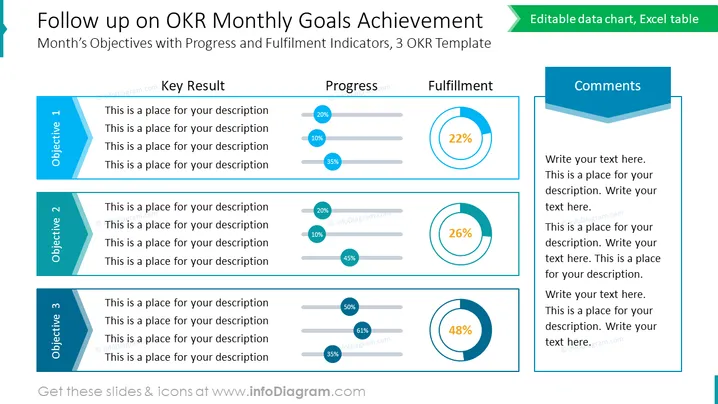
The slide titled "Follow up on OKR Monthly Goals Achievement" is structured for monitoring monthly objectives utilizing the Objectives and Key Results (OKR) framework. There are three objectives listed, each with space for descriptions. Adjacent to these are columns for Key Result, Progress, Fulfillment, and Comments, which include progress bars and percentage gauges to visualize completion levels. "Key Result" represents the measurable outcomes, "Progress" shows progression using horizontal bars, "Fulfillment" uses colored circle charts to depict achievement levels, and "Comments" has space for notes or observations.
The slide employs a clean, professional design with a color palette consisting mainly of blues and teals. The use of progress bars and circular gauges provides an immediate visual interpretation of data.



