Reviews
Sus gráficos añaden un toque agradable a mis presentaciones y recientemente los usé para una de mis reuniones generales. Su conjunto de herramientas añade profesionalismo a mis diapositivas. En lugar de usar imágenes prediseñadas estándar.
Necesitaba un aspecto fresco para algunas de mis diapositivas. Había intentado encontrar una forma de crear un efecto de pincel, de subrayar, acentuar, añadir algo de color y los marcadores escritos a mano fueron justo lo que necesitaba. Muy fácil de usar, fácil de ajustar el tamaño, cambiar el color. Fue una solución asequible y perfecta, y estoy feliz de recomendarla.
El aspecto nítido y limpio de los gráficos, y el hecho de que me permitiera editar y cambiar fácilmente los colores para que coincidieran con la plantilla fue mi principal razón para comprarlos.
Description
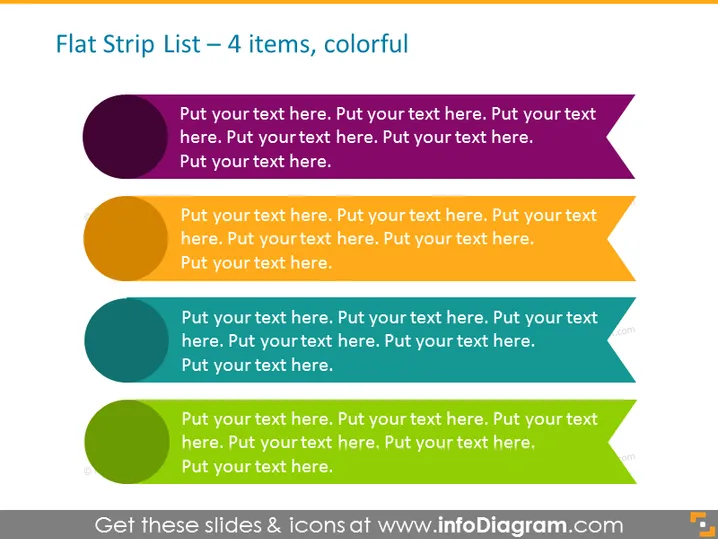
Flat Strip List – 4 items, colorful
Slide Content
The slide illustrates a list format that's meant to showcase four distinct items or concepts. Each item is represented with a colored circle, an arrow extending to the right, and a placeholder text that encourages the viewer to insert their own content. The visualization strategy applied here simplifies the conveyance of sequential or non-sequential information that can be easily digested by an audience.
Graphical Look
- Four horizontal list elements, each consisting of a colored circle followed by an arrow pointing right, representing a sequential flow.
- Each arrow is a different color, following a gradient from dark at the top to lighter at the bottom.
- The arrows contain placeholder text which implies customization to fit specific content.
- The background is a simple, flat white, putting the focus on the colorful list elements.
The slide is vibrant and eye-catching, with a clean and straightforward design that facilitates easy reading and comprehension. The use of varying colors helps to differentiate between the listed items.
Use Cases
- To outline steps in a process during a corporate training or instructional presentation.
- To summarize key points of a project or strategy in a business meeting.
- To present a list of benefits or features of a product in a sales pitch.
- To visually break down components of a complex topic in an educational setting.
How to Edit
How to edit text & colors

How to expand / shorten diagram

How to Replace Icons in infoDiagram PPT


