Reviews
Your graphics add a nice touch to my presentations and I recently used them for one of my all-hands meetings. Your toolbox adds professionalism to my slides. Instead of using standard clipart.
I needed a fresh look at some of my slides. I've tried to find a way to create a paintbrush effect, to underline, accentuate, add some color and the handwritten markers were just the things. Very easy to use, easy to size, change the color. It was an affordable, perfect solution and I'm happy to recommend it.
The crisp, clean look of the graphics, and the fact that it allowed me to easily edit and change the colors to match the template was my main reason for purchasing them.
Description
Flat Icons Set – Status Indicators
Slide Content
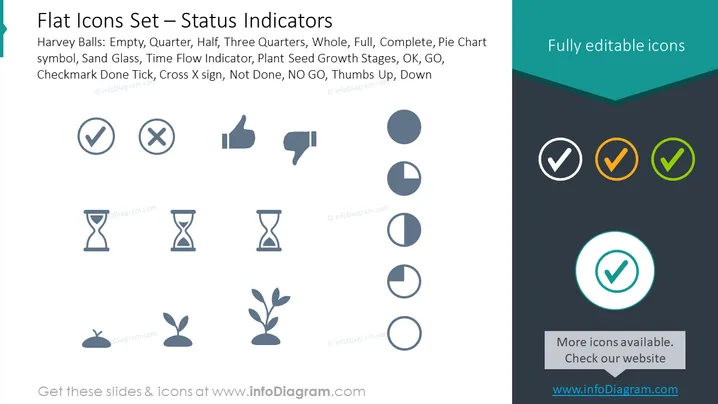
The slide presents a collection of icons used to visually represent different status indicators. The Harvey Balls depict varying degrees of completeness ranging from empty, quarter, half, to three-quarters, and full, symbolizing progression or status completeness. The Pie Chart icons also represent completeness levels, emphasizing different phases or segments of a whole. The Sand Glass and Time Flow Indicator icons suggest the passage of time or a process in motion. Plant Seed Growth Stages depict the development sequence from planting to maturity, representing growth or progress. Lastly, variations of Checkmark Done Tick, Cross X sign, OK, GO, Not Done, NO GO, and Thumbs Up or Down icons clearly communicate approval, disapproval, or project status with a quick visual cue.
Graphical Look
- The slide background is divided diagonally with lighter shades on the left side and a darker shade on the right, creating a subtle contrast.
- A collection of flat design icons is evenly distributed across the slide; icons on the left are in grayscale, while those on the right are colored.
- Each icon is accompanied by a label that describes its purpose beneath it, using a sans-serif font that's easy to read.
- The Harvey Balls and Pie Chart icons vary in shading to demonstrate different levels, from empty to full.
- The Time Flow Indicators are hourglasses with the amount of sand representing the passage of time.
- Plant Seed Growth Stages are represented by simple illustrations of a plant in various stages from seed to sprouting leaves.
- The Checkmark and Cross icons are straightforward, with a tick for completion and an 'X' for negation.
- Thumbs Up and Thumbs Down icons are used for approval or disapproval.
- The top right corner of the slide has a text label stating "Fully editable icons" in white against a teal background.
The overall look of the slide is modern and clean, with a well-organized layout that emphasizes the simplicity and clarity of the status indicator icons. The design uses a flat graphic style and a coherent color scheme to create an uncluttered and professional appearance.
Use Cases
- To visually communicate project status in management meetings or progress reports.
- For incorporation in dashboards or status reports to quickly convey information on project phases, approvals, or workflow progress.
- As part of an instructional presentation to explain different stages of a process or project lifecycle.
- To enhance user interface designs for apps and software where visual status indicators are necessary for user guidance and feedback.
How to Edit
How to edit text & colors

How to expand / shorten diagram

How to Replace Icons in infoDiagram PPT


