Reviews
Your graphics add a nice touch to my presentations and I recently used them for one of my all-hands meetings. Your toolbox adds professionalism to my slides. Instead of using standard clipart.
I needed a fresh look at some of my slides. I've tried to find a way to create a paintbrush effect, to underline, accentuate, add some color and the handwritten markers were just the things. Very easy to use, easy to size, change the color. It was an affordable, perfect solution and I'm happy to recommend it.
The crisp, clean look of the graphics, and the fact that it allowed me to easily edit and change the colors to match the template was my main reason for purchasing them.
Description
Flat Icons Set — Status Indicators
Slide Content
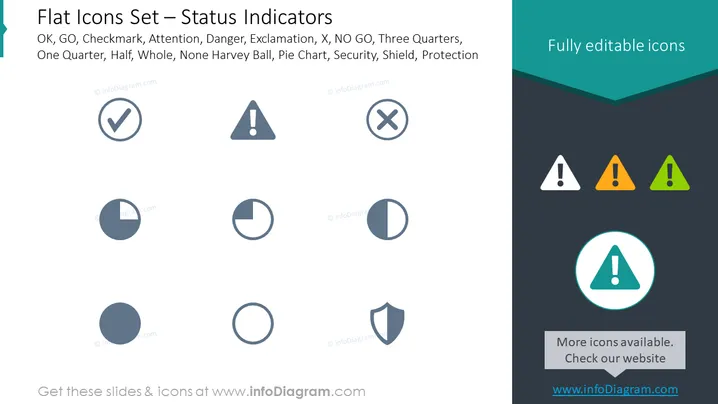
The slide presents a collection of flat design icons representing various status indicators that can be used in digital interfaces or presentations. These include symbols for OK or GO (checkmark), Attention (exclamation mark in a triangle), Danger, Exclamation, X or NO GO, and several pie charts indicating progress or status levels such as Three Quarters, One Quarter, Half, Whole, None as well as symbols for Security (shield) and Protection. Each icon visually communicates a different state or level of severity or completion, which can help convey information quickly and effectively in a visual format.
Graphical Look
- The slide background is white with a large dark teal header band at the top.
- The title "Flat Icons Set — Status Indicators" is displayed over the header band in large white text.
- Below the title, there are two rows of icons, each consisting of four to five items, with a total of nine icons displayed.
- The icons include a checkmark, an exclamation mark in a triangle, a cross mark, and various pie chart graphics, each with a different portion filled in (e.g., no fill, quarter fill, half fill, three-quarter fill).
- The colors of the icons range from shades of grey to vibrant colors with some pie charts and the security shield being monochromatic.
- On the right side of the slide, the text "Fully editable icons" appears in a light font over the header band.
- An enlarged attention icon appears at the bottom right, highlighted with a blue circle and a lighter shade backing.
The slide has a clean, minimalist design with icons in a flat style for universal comprehension. The color scheme is subtle with monochromatic greys and teals punctuated by brighter colored versions of the attention icon.
Use Cases
- To enhance visual communication in business presentations by using icons to represent project statuses.
- To quickly convey project risks, milestones, and completion levels during project management or status update meetings.
- In user interface designs or dashboards where visual indicators are necessary to show system or process status.
- In educational materials or instruction guides to symbolize important points or steps visually.
How to Edit
How to edit text & colors

How to expand / shorten diagram

How to Replace Icons in infoDiagram PPT


