Reviews
Sus gráficos añaden un toque agradable a mis presentaciones y recientemente los usé para una de mis reuniones generales. Su conjunto de herramientas añade profesionalismo a mis diapositivas. En lugar de usar imágenes prediseñadas estándar.
Necesitaba un aspecto fresco para algunas de mis diapositivas. Había intentado encontrar una forma de crear un efecto de pincel, de subrayar, acentuar, añadir algo de color y los marcadores escritos a mano fueron justo lo que necesitaba. Muy fácil de usar, fácil de ajustar el tamaño, cambiar el color. Fue una solución asequible y perfecta, y estoy feliz de recomendarla.
El aspecto nítido y limpio de los gráficos, y el hecho de que me permitiera editar y cambiar fácilmente los colores para que coincidieran con la plantilla fue mi principal razón para comprarlos.
Description
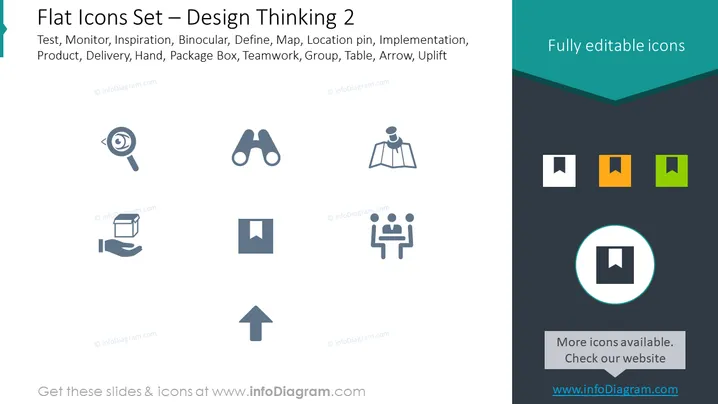
Flat Icons Set — Design Thinking 2
Slide Content
The PowerPoint slide is titled "Flat Icons Set — Design Thinking 2" and includes a list of concepts such as Test, Monitor, Inspiration, Binocular, Define, Map, Location pin, Implementation, Product, Delivery, Hand, Package Box, Teamwork, Group, Table, Arrow, and Uplift. Each concept likely corresponds to an icon that represents an aspect of design thinking or project management processes. These concepts cover various stages and tools used in design thinking, from ideation (Inspiration) to execution (Delivery) and assessment (Monitor).
Graphical Look
- The slide background is white with a dark teal header that has a cut-out wave design at the bottom edge.
- There is a series of grey-toned, stylized icons evenly spaced across the slide, each representing one of the listed concepts.
- Icons include a magnifying glass (Test), binoculars (Binocular), a map (Map), a location pin (Define), two figures at a table (Teamwork), and an arrow pointing upwards (Uplift), among others.
- In the upper right corner, there is a box with the phrase "Fully editable icons" with a dark teal background that matches the header.
- In the lower right corner, there is a circular highlight over one of the icon boxes, drawing attention to it; adjacent to this is a grey rectangle stating "More icons available. Check our website" and a web address below it.
The overall look of the slide is clean and modern, utilizing a simple color palette and flat design style. The icons are easily identifiable and are presented in a grid that aids in visual organization and quick comprehension.
Use Cases
- Introducing design thinking stages or tools in an educational or training presentation.
- Illustrating project management steps in a business strategy session.
- Showcasing services or processes in marketing and sales pitches.
- Enhancing visual communication in workshop handouts or collaboration meetings.
How to Edit
How to edit text & colors

How to expand / shorten diagram

How to Replace Icons in infoDiagram PPT


