Reviews
Your graphics add a nice touch to my presentations and I recently used them for one of my all-hands meetings. Your toolbox adds professionalism to my slides. Instead of using standard clipart.
I needed a fresh look at some of my slides. I've tried to find a way to create a paintbrush effect, to underline, accentuate, add some color and the handwritten markers were just the things. Very easy to use, easy to size, change the color. It was an affordable, perfect solution and I'm happy to recommend it.
The crisp, clean look of the graphics, and the fact that it allowed me to easily edit and change the colors to match the template was my main reason for purchasing them.
Description
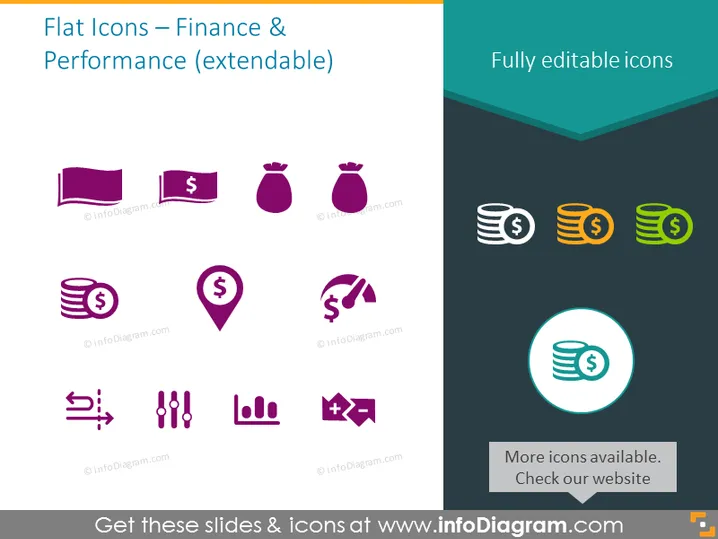
Flat Icons – Finance & Performance (extendable)
Slide Content
The PowerPoint slide titled "Flat Icons – Finance & Performance (extendable)" presents a collection of stylized vector icons related to financial themes and metrics. These icons represent various financial elements and concepts, such as currency (dollar bills and coins), savings (bags of money), location with financial significance (pin with dollar symbol), communication or transactions (phone with dollar symbol), statistical analysis (graphs and charts), and strategic financial decisions (chess pieces). Each icon offers a simplified visual representation of complex financial operations and metrics, making them ideal for quick visual communication in presentations.
Graphical Look
- The slide is divided into a large section of purple icons on a white background, and a sidebar with teal hues.
- Nine icons in purple reflect various financial concepts and are arranged in three rows and three columns.
- Each purple icon is accompanied by a small watermark below it.
- On the right-hand side, there are three vertically stacked, multicolored icons on a darker background, illustrating different money-related items in shades of green, orange, and gray.
- The largest graphic is a highlighted icon circled in cyan with a shadow effect, prominently displayed below the stacked icons.
- A text box is located at the bottom right corner, with the text "More icons available. Check our website" against a white background.
- The slide has a modern, minimalist look with a color scheme that contrasts the purple icons with the brighter sidebar items.
The overall look of the slide is clean and modern, with the use of flat design for the icons making the visuals easily interpretable and attractive. The contrast between the main area and sidebar brings focus to the additional content in the sidebar.
Use Cases
- Illustrating financial topics such as budgeting, investment, and revenue in business presentations.
- Enhancing visual appeal and understanding in reports or infographics that involve financial statistics or data.
- Conveying complex financial concepts in a simplified visual form in educational materials or financial workshops.
- Creating engaging slides for pitch decks that require demonstrating monetary growth, business plans, or market analysis.
How to Edit
How to edit text & colors

How to expand / shorten diagram

How to Replace Icons in infoDiagram PPT


