Reviews
Your slides are my "secret sauce" when it comes to presenting my ideas to clients. I save a lot of time.
J'avais un délai de livraison à respecter et je n'avais pas le temps de créer une variété de modèles de diapositives. Infodiagram m'a proposé des options faciles à télécharger et à personnaliser en fonction de mes besoins !
Vos diapositives suscitent souvent de précieux commentaires et idées de la part de mon équipe, ce qui améliore les diapositives finales.
Description
February (US)
Slide Content
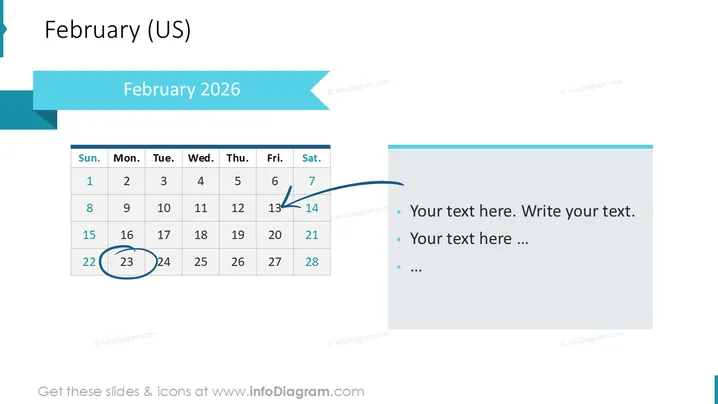
This PowerPoint slide is titled "February 2026 " and features a calendar for the month of February 2026 , focusing on the US format which starts with Sunday. The calendar highlights the date of February 17th with a circular outline and an arrow pointing to the 8th of February, suggesting a significant event or transition between these dates. On the right side, there is space provided for text with bullet points where additional details regarding the highlighted dates or other relevant information can be added.
Graphical Look
- The slide background is white, maintaining a clean and clear appearance for easy readability.
- A large cyan-colored banner at the top displays the title "February 2025" in bold white font, creating a strong focal point.
- A smaller, similar-colored banner is aligned to the left side vertically, providing balance to the design.
- The calendar itself has a simple grid layout with dates, using subtle grey lines and black text for the days of the week and numbers.
- The date February 17th is circled in blue, drawing attention to this specific day without distracting from the overall content.
- A dark blue arrow originates from the circled date and curves towards the 8th of February, guiding the viewer's focus.
- Three bullet points accompanied by small blue circles are positioned on the right side for adding text, which aligns with the overall color theme.
- The slide uses a mix of shapes, such as rectangles and circles, along with directional arrows to organize information visually and direct attention.
The slide has a modern, corporate design with a simple color scheme centered around different shades of blue. It uses geometric shapes and minimalistic elements to direct attention to specific dates and provide clear areas for customized information.
Use Cases
- To outline key dates, deadlines, or milestones in a project timeline during business presentations.
- For planning and discussing marketing campaigns or events that are set to take place in February 2025 I'm sorry, but it seems there was an issue, and the image is not available now. If you provide the image again, I'd be happy to assist you with your request.
How to Edit
How to edit text & colors

How to expand / shorten diagram

How to Replace Icons in infoDiagram PPT


