Reviews
Ihre Grafiken verleihen meinen Präsentationen eine nette Note, und ich habe sie kürzlich für eines meiner All-Hands-Meetings verwendet. Ihre Toolbox verleiht meinen Folien Professionalität, anstatt Standard-Clipart zu verwenden.
Ich brauchte einen neuen Blick auf einige meiner Folien. Ich habe versucht, einen Weg zu finden, einen Pinselschlag-Effekt zu erzielen, um zu unterstreichen, hervorzuheben, Farbe hinzuzufügen, und die handgeschriebenen Markierungen waren genau das Richtige. Sehr einfach zu bedienen, leicht in der Größe zu ändern, die Farbe zu ändern. Es war eine erschwingliche, perfekte Lösung und ich empfehle sie gerne weiter.
Die klare, saubere Optik der Grafiken und die Tatsache, dass ich die Farben leicht bearbeiten und an die Vorlage anpassen konnte, war mein Hauptgrund für den Kauf.
Description
Fear related icons
Slide Content
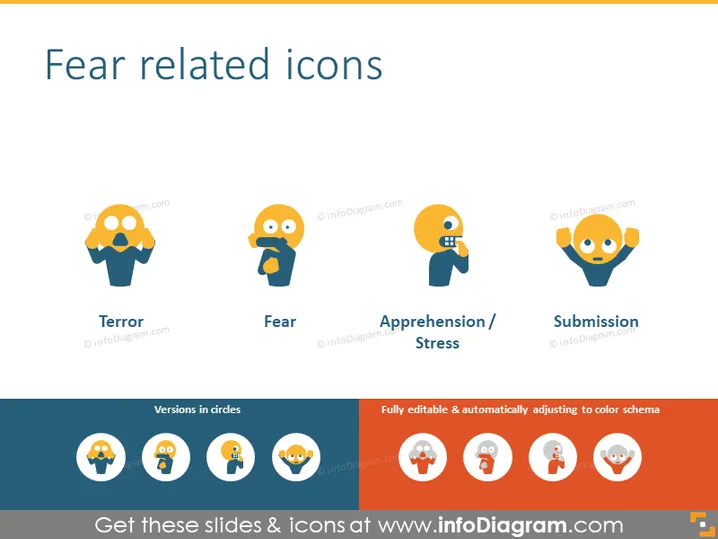
The PowerPoint slide is titled "Fear related icons" and displays four different stylized icons, each representing a distinct aspect of fear. The first icon, labeled "Terror," shows a figure with hands raised and a shocked facial expression, depicting extreme fear. "Fear" is simply illustrated by a character with wide eyes and an open mouth. The third icon, "Apprehension / Stress," features a figure with a hand on the chin, signifying worry or nervous anticipation. Finally, "Submission" is shown as a character with hands up and a smile, implying surrender or giving up in the face of fear.
Graphical Look
- The slide has a clean, uncluttered layout with a blue and grey color scheme.
- There are four main graphical icons spaced equally across the slide.
- Each icon has a short text label below it describing the emotion or state it represents.
- The icons are stylized human figures with exaggerated facial expressions and body language to convey different states of fear.
- Each icon varies in color, primarily orange hues, with slight variations to differentiate the emotions.
- Beneath the main row of icons is a smaller row of circular icons mirroring the larger ones above.
- Two text boxes are present beneath the circular icons with a description about the slide's editability and color scheme adjustments.
- The background is a light gradient, adding a subtle visual effect without detracting from the main content.
The overall look of the slide is modern and visually appealing, with a clear emphasis on the icons, which are designed to convey emotions related to fear effectively. The complementary color palette and use of space enhance readability and focus.
Use Cases
- In a presentation about emotional intelligence to illustrate different fear responses.
- During a workshop on stress management, to identify and discuss various forms of fear and stress.
- In a psychology class, when teaching about the spectrum of fear-related emotions.
- As part of a user experience (UX) design presentation to highlight emotions that could be elicited by certain interfaces or situations.
How to Edit
How to edit text & colors

How to expand / shorten diagram

How to Replace Icons in infoDiagram PPT


