Reviews
Sus gráficos añaden un toque agradable a mis presentaciones y recientemente los usé para una de mis reuniones generales. Su conjunto de herramientas añade profesionalismo a mis diapositivas. En lugar de usar imágenes prediseñadas estándar.
Necesitaba un aspecto fresco para algunas de mis diapositivas. Había intentado encontrar una forma de crear un efecto de pincel, de subrayar, acentuar, añadir algo de color y los marcadores escritos a mano fueron justo lo que necesitaba. Muy fácil de usar, fácil de ajustar el tamaño, cambiar el color. Fue una solución asequible y perfecta, y estoy feliz de recomendarla.
El aspecto nítido y limpio de los gráficos, y el hecho de que me permitiera editar y cambiar fácilmente los colores para que coincidieran con la plantilla fue mi principal razón para comprarlos.
Description
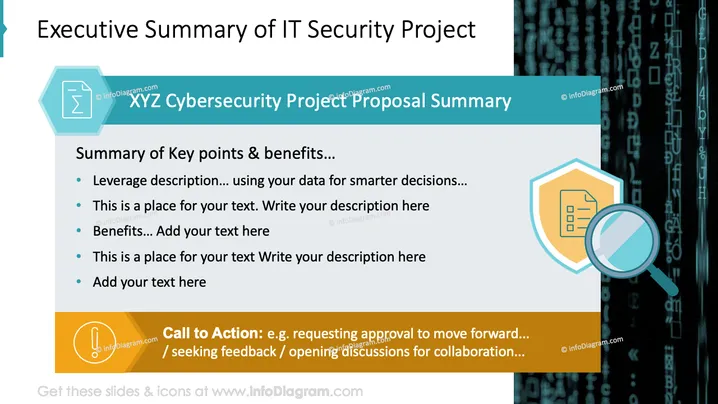
Executive Summary of IT Security Project
Slide Content
The slide provides a summary of an XYZ Cybersecurity Project Proposal. It includes key points like leveraging data for smarter decisions, a placeholder for text, and descriptions of benefits. Additionally, it emphasizes a call to action for seeking approval, feedback, and opening discussions for collaboration.
Graphical Look
- The slide features a white background with a digital coding motif on the right.
- A header in cyan color contains the project title with a mathematical symbol icon.
- Key points are listed on a light gray box with bullet points.
- A shield and magnifying glass icon signify protection and analysis.
- An orange banner below contains the call to action with an exclamation mark symbol.
The overall look is professional and uses a mix of technological and informative aesthetics, appropriate for business settings focused on security topics.
Use Cases
- Presenting project proposals in IT security meetings.
- Summarizing key benefits in stakeholder briefings.
- Seeking feedback during cybersecurity planning sessions.
- Opening discussions for collaborative projects.
How to Edit
How to edit text & colors

How to expand / shorten diagram

How to Replace Icons in infoDiagram PPT


