Reviews
Your graphics add a nice touch to my presentations and I recently used them for one of my all-hands meetings. Your toolbox adds professionalism to my slides. Instead of using standard clipart.
I needed a fresh look at some of my slides. I've tried to find a way to create a paintbrush effect, to underline, accentuate, add some color and the handwritten markers were just the things. Very easy to use, easy to size, change the color. It was an affordable, perfect solution and I'm happy to recommend it.
The crisp, clean look of the graphics, and the fact that it allowed me to easily edit and change the colors to match the template was my main reason for purchasing them.
Description
South American Continent
Slide Content
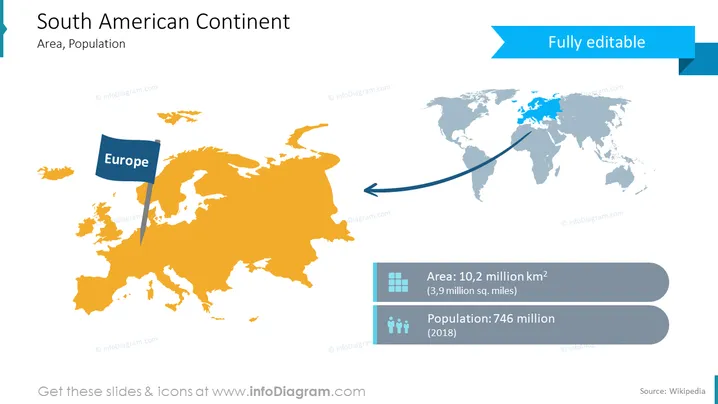
The PowerPoint slide titled "South American Continent" focuses on the geographical scope and demographics of South America. It includes a comparison indicated by an arrow pointing from Europe to a highlighted map of South America, suggesting migration or influence. Moreover, statistical data is presented to quantify the continent's area and population, with the area being 10.2 million square kilometers (3.9 million square miles) and the population at 746 million as of 2018.
Graphical Look
- The slide has a large, orange-colored outline map of South America that occupies the center and the left portion of the slide.
- A small flag icon labeled "Europe" is placed over a smaller, blue-colored map of Europe in the top left corner.
- A dark blue arrow stretches from the Europe map to the South American map, creating a visual connection or flow between the two continents.
- In the top right corner, there is a blue banner with the text "Fully editable," indicating that the slide's content is modifiable.
- Two rectangular, gray info-boxes display the area and population statistics for South America with corresponding icons—a grid for area and a group of people for population.
- The color scheme of the slide is primarily blue and orange with white and gray accents.
- Icons and text have a flat design style, typically used to convey information in a clean and minimalistic way.
The overall look of the slide is modern and professional, with a clear emphasis on showcasing data through visual elements. The color contrast ensures that information stands out and is easily distinguishable.
Use Cases
- To present demographic and geographical data about South America in an educational setting or business context focusing on regional analysis.
- In business strategy meetings to discuss market expansion or compare markets between Europe and South America.
- As part of a report on migration trends, showcasing the relationships between different regions of the world.
- Within a marketing presentation to highlight potential customer bases or geographic areas of interest for international product launches.
How to Edit
How to edit text & colors

How to expand / shorten diagram

How to Replace Icons in infoDiagram PPT


