Reviews
Ihre Grafiken verleihen meinen Präsentationen eine nette Note, und ich habe sie kürzlich für eines meiner All-Hands-Meetings verwendet. Ihre Toolbox verleiht meinen Folien Professionalität, anstatt Standard-Clipart zu verwenden.
Ich brauchte einen neuen Blick auf einige meiner Folien. Ich habe versucht, einen Weg zu finden, einen Pinselschlag-Effekt zu erzielen, um zu unterstreichen, hervorzuheben, Farbe hinzuzufügen, und die handgeschriebenen Markierungen waren genau das Richtige. Sehr einfach zu bedienen, leicht in der Größe zu ändern, die Farbe zu ändern. Es war eine erschwingliche, perfekte Lösung und ich empfehle sie gerne weiter.
Die klare, saubere Optik der Grafiken und die Tatsache, dass ich die Farben leicht bearbeiten und an die Vorlage anpassen konnte, war mein Hauptgrund für den Kauf.
Description
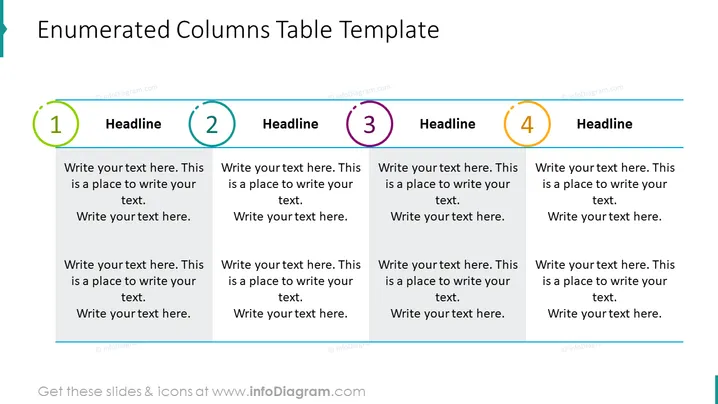
Enumerated Columns Table Template
Slide Content
The PowerPoint slide titled "Enumerated Columns Table Template" features a structured layout for conveying information across four distinct sections. Each section is highlighted by a large, colored, circled number, ranging from 1 to 4, and is accompanied by a space for a headline followed by a placeholder text saying "Write your text here. This is a place to write your text." This setup suggests that the template is geared toward presenting categorized ideas or steps in a process, with each numbered column reserved for a separate, yet related, concept.
Graphical Look
- The slide has a white background providing a clean and neutral canvas for the content.
- A bold, dark blue title is positioned at the top of the slide, which serves as the focal point.
- Four columns are visually divided by vertical spacing, each column identified by large circled numbers (1-4) with a unique color (green, light blue, purple, and orange, respectively) indicating sequence or priority.
- Each column has its own headline in bold, black font, placed beneath the corresponding colored number.
- Placeholder text is provided below each headline in a smaller font, suggesting where detailed descriptions should be added.
- Horizontal lines in dark blue are drawn to underline the title and separate the bottom of the slide from the content area, adding to the organized format.
- The numbers and headlines are aligned horizontally, contributing to the tidy and structured feel of the slide.
The overall look is professional and systematic, with a clear hierarchy of information that allows for easy comparison or progression through the content. The color-coding enhances visual differentiation between the columns.
Use Cases
- Presenting a step-by-step process or sequential steps in a project timeline.
- Comparing and contrasting up to four different concepts or categories.
- Outlining the agenda or key topics of a workshop or meeting session.
- Highlighting the main features or benefits of a product in a sales pitch or marketing presentation.
How to Edit
How to edit text & colors

How to expand / shorten diagram

How to Replace Icons in infoDiagram PPT


