Reviews
Your graphics add a nice touch to my presentations and I recently used them for one of my all-hands meetings. Your toolbox adds professionalism to my slides. Instead of using standard clipart.
I needed a fresh look at some of my slides. I've tried to find a way to create a paintbrush effect, to underline, accentuate, add some color and the handwritten markers were just the things. Very easy to use, easy to size, change the color. It was an affordable, perfect solution and I'm happy to recommend it.
The crisp, clean look of the graphics, and the fact that it allowed me to easily edit and change the colors to match the template was my main reason for purchasing them.
Description
Employee Experience Icons: Success, Value
Slide Content
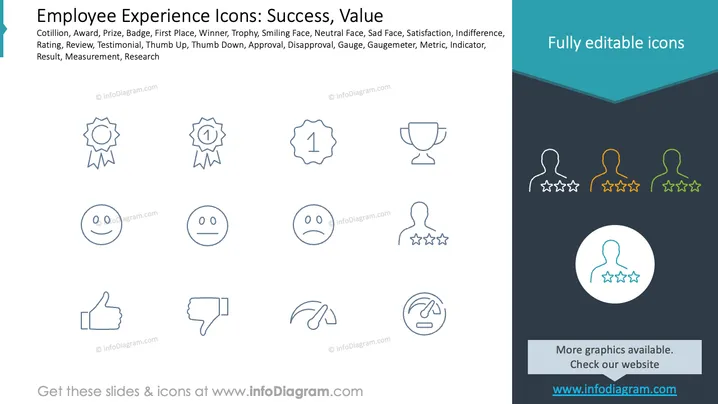
The slide presents icons representing concepts of success and employee experience. Icons include cotillion (symbol of honor), award (recognition of achievement), prize (winning an event), badge (mark of distinction), first place (top rank), and winner (someone who wins). Additional icons signify smiling face (happiness), neutral face (indifference), sad face (displeasure), satisfaction (contentment), indifference (lack of concern), rating (evaluation), review (assessment), testimonial (positive feedback), thumbs up (approval), thumbs down (disapproval), gauge (measuring instrument), metric (statistical measure), indicator (showing status), result (outcome), measurement (quantifying), and research (investigation).
Graphical Look
- The slide features a simple layout with thin line icons.
- Icons are organized in a grid, providing clarity and neatness.
- A blue color scheme is used for outlines, conveying a professional feel.
- The right side has a dark background with additional icons and shows a section titled "Fully editable icons."
- The slide is divided into two sections: main icons on one side, supplemental information on the other.
- Typography is simple, enhancing readability and focusing viewer attention on the icons.
The overall look is clean, professional, and focused on conveying information with minimalist design elements. The two-section layout neatly separates the main content from the supplementary visuals.
Use Cases
- Ideal for presentations focused on employee recognition programs.
- Suitable for workshops on improving employee satisfaction and engagement.
- Useful for illustrating performance evaluation processes.
- Can be used for discussions around customer feedback and service quality improvement.
How to Edit
How to edit text & colors

How to expand / shorten diagram

How to Replace Icons in infoDiagram PPT


