Reviews
Ihre Grafiken verleihen meinen Präsentationen eine nette Note, und ich habe sie kürzlich für eines meiner All-Hands-Meetings verwendet. Ihre Toolbox verleiht meinen Folien Professionalität, anstatt Standard-Clipart zu verwenden.
Ich brauchte einen neuen Blick auf einige meiner Folien. Ich habe versucht, einen Weg zu finden, einen Pinselschlag-Effekt zu erzielen, um zu unterstreichen, hervorzuheben, Farbe hinzuzufügen, und die handgeschriebenen Markierungen waren genau das Richtige. Sehr einfach zu bedienen, leicht in der Größe zu ändern, die Farbe zu ändern. Es war eine erschwingliche, perfekte Lösung und ich empfehle sie gerne weiter.
Die klare, saubere Optik der Grafiken und die Tatsache, dass ich die Farben leicht bearbeiten und an die Vorlage anpassen konnte, war mein Hauptgrund für den Kauf.
Description
Icons: Distribution, Retail
Slide Content
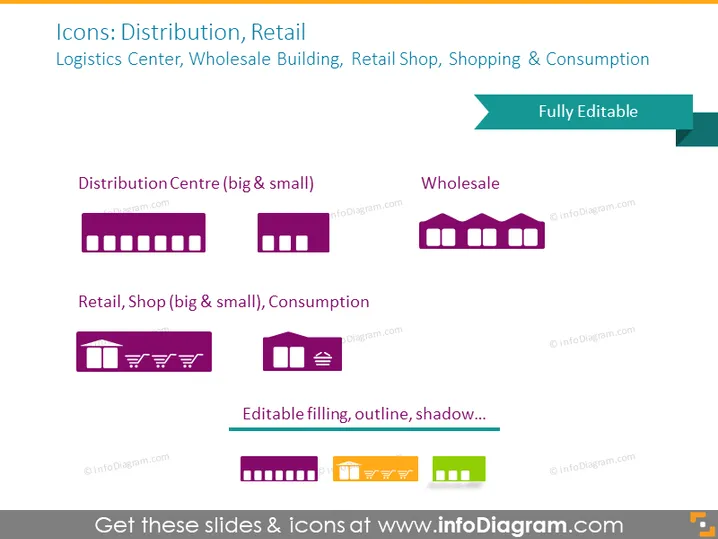
The PowerPoint slide titled "Icons: Distribution, Retail" showcases icons for logistics and retail operations. It is divided into two main categories: "Logistics Center, Wholesale Building, Retail Shop, Shopping & Consumption" at the top, and "Fully Editable" at the bottom. Each category is further elaborated with examples such as "Distribution Centre (big & small)," "Wholesale," and "Retail Shop (big & small), Consumption," likely representing various scales of these entities, and suggesting customization options for the icons.
Graphical Look
- The slide has a purple and dark gray color theme.
- At the top, there's a title in white text on a dark gray background.
- Beneath the title, there are two sections of text in a lighter purple color, each on separate lines.
- On the left, a set of four boxy icons represent distribution centers, with two larger and two smaller variants.
- Next to these, one larger boxy icon represents wholesale, with a warehouse-like design.
- Below these icons, there are two other sets – a pair of purple icons depicting retail shops and another single icon showing consumption with a shopping cart.
- Below the icons, there's a phrase "Editable filling, outline, shadow..." indicating editing features.
- A teal banner on the right side, overlapping the icons section, contains the text "Fully Editable" in white.
- Each icon is labeled with its respective category.
The slide has a clean, organized appearance with clearly defined sections and icons that visually represent various aspects of distribution and retail. The icons are simple yet descriptive, using minimalistic design to convey different scales and types of buildings and activities.
Use Cases
- To illustrate different stages of the supply chain in a business presentation.
- For visually enhancing sections of a report dealing with logistics and retail management.
- To create infographics or educational materials about distribution centers and retail operations.
- To support visualization in strategy documents, showing the flow from production to consumption.
How to Edit
How to edit text & colors

How to expand / shorten diagram

How to Replace Icons in infoDiagram PPT


