Reviews
Your graphics add a nice touch to my presentations and I recently used them for one of my all-hands meetings. Your toolbox adds professionalism to my slides. Instead of using standard clipart.
I needed a fresh look at some of my slides. I've tried to find a way to create a paintbrush effect, to underline, accentuate, add some color and the handwritten markers were just the things. Very easy to use, easy to size, change the color. It was an affordable, perfect solution and I'm happy to recommend it.
The crisp, clean look of the graphics, and the fact that it allowed me to easily edit and change the colors to match the template was my main reason for purchasing them.
Description
Eastern Currencies Icons
Slide Content
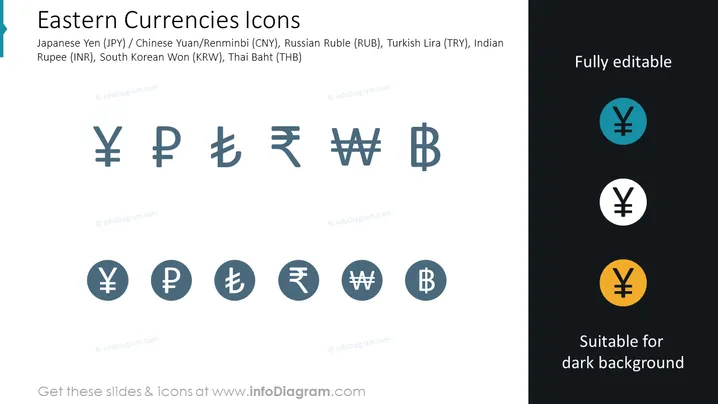
The slide is a representation of various Eastern currency symbols, including the Japanese Yen (JPY), Chinese Yuan/Renminbi (CNY), Russian Ruble (RUB), Turkish Lira (TRY), Indian Rupee (INR), South Korean Won (KRW), and Thai Baht (THB). These symbols are commonly used in financial documents and presentations to denote the respective currencies. The slide indicates that the icons are fully editable and suitable for dark backgrounds, offering versatility in presentation design.
Graphical Look
- The background of the slide is white with a dark grey footer area for additional text.
- The slide title "Eastern Currencies Icons" is positioned on the top left and is written in a large, bold, dark font.
- Below the title, a subtitle lists the currencies represented, written in a smaller font size.
- The central part of the slide displays eight icons in two rows representing currency symbols, with a uniform grey color on a white background.
- Each icon is placed inside a light grey circle, giving it a button-like appearance.
- On the right-hand side, there are three colored circles showing the Yen symbol, indicating different color variations for the presentations: teal, white, and yellow, displayed against dark backgrounds for contrast.
The slide has a clean and professional look, with a simple color scheme that emphasizes readability. Differences in background for the icons on the right side demonstrate the adaptability of the icons for various presentation color palettes.
Use Cases
- In financial presentations discussing international trade and currency exchange rates, to visually represent the currencies involved.
- During economic analysis briefings to quickly illustrate the countries whose monetary units are being evaluated or compared.
- In educational settings, such as business or economics classes, where different currencies are a topic of discussion.
- For use in sales or investment pitches that involve multinational companies or markets, indicating the different currencies in which transactions can be made.
How to Edit
How to edit text & colors

How to expand / shorten diagram

How to Replace Icons in infoDiagram PPT


